Next Project Horus Launch – Horus 73 – MeshCore & Other Experimental Payloads

Project Horus’s next launch is currently planned for Sunday the 28th of June. Launch time is planned for 10AM, with launch crew on-site around 9:15-9:30AM. MeshCore - Official Site

On this flight we will be running a MeshCore experiment provided by Liam VK5ALG. This consists of a MeshCore repeater, using the “Australia (Narrow)” Settings (NOTE: This is not the standard South Australian settings!). Please check the end of this post for information how to configure your node for this flight!

This flight will have the following tracking payloads:

  • Primary: ‘HORUS’ 434.200 MHz
  • Backup: ‘VK5ARG’ 434.210 MHz

You can find more information about how to decode this telemetry further below.

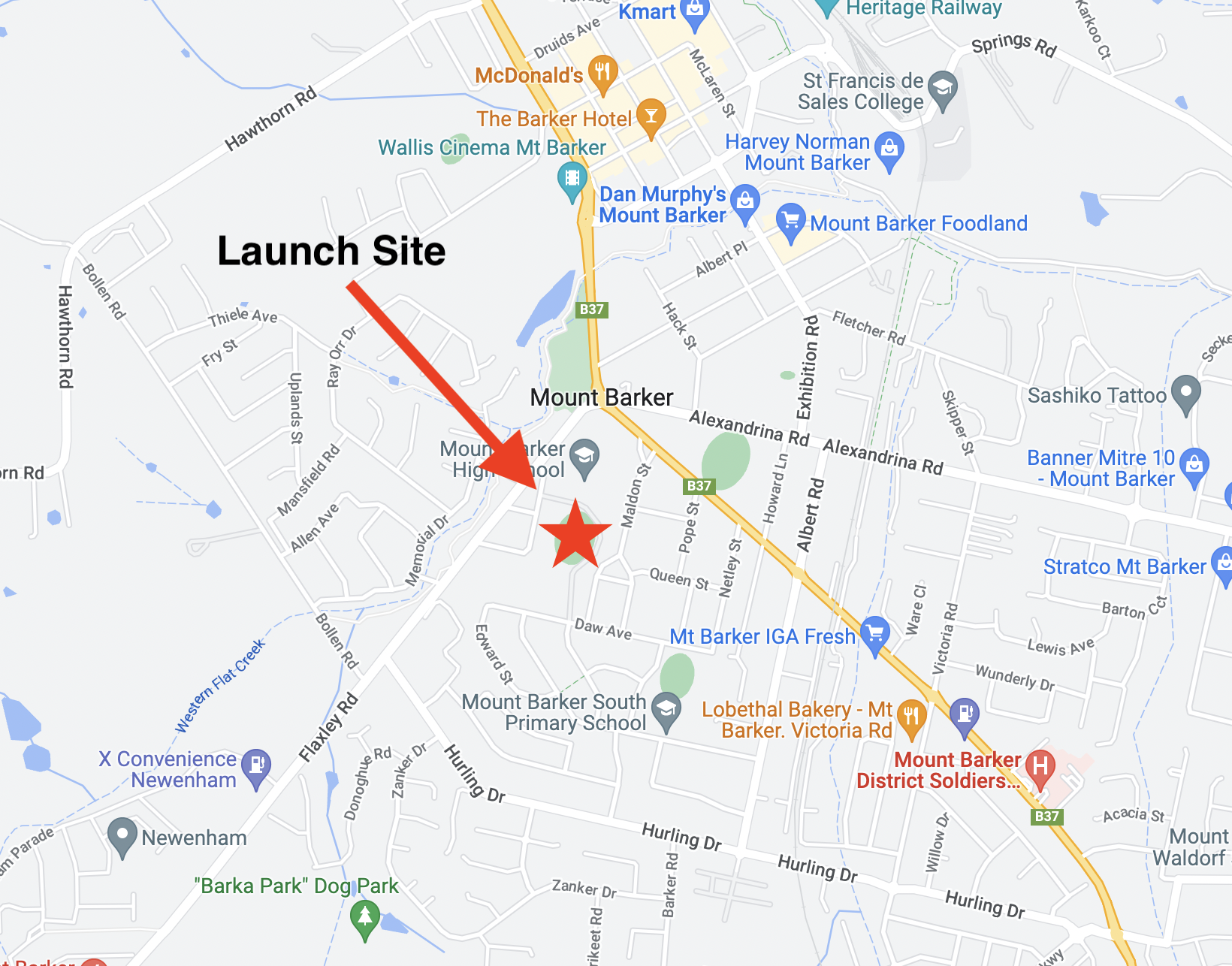
This launch is currently planned to be performed from the Mt Barker High School Oval, which is accessible from Stephenson Street, Mt Barker.

Mt Barker Launch Site

TRACKING LINKS


Primary Telemetry – Horus Binary v3 – 434.200 MHz – “HORUS”
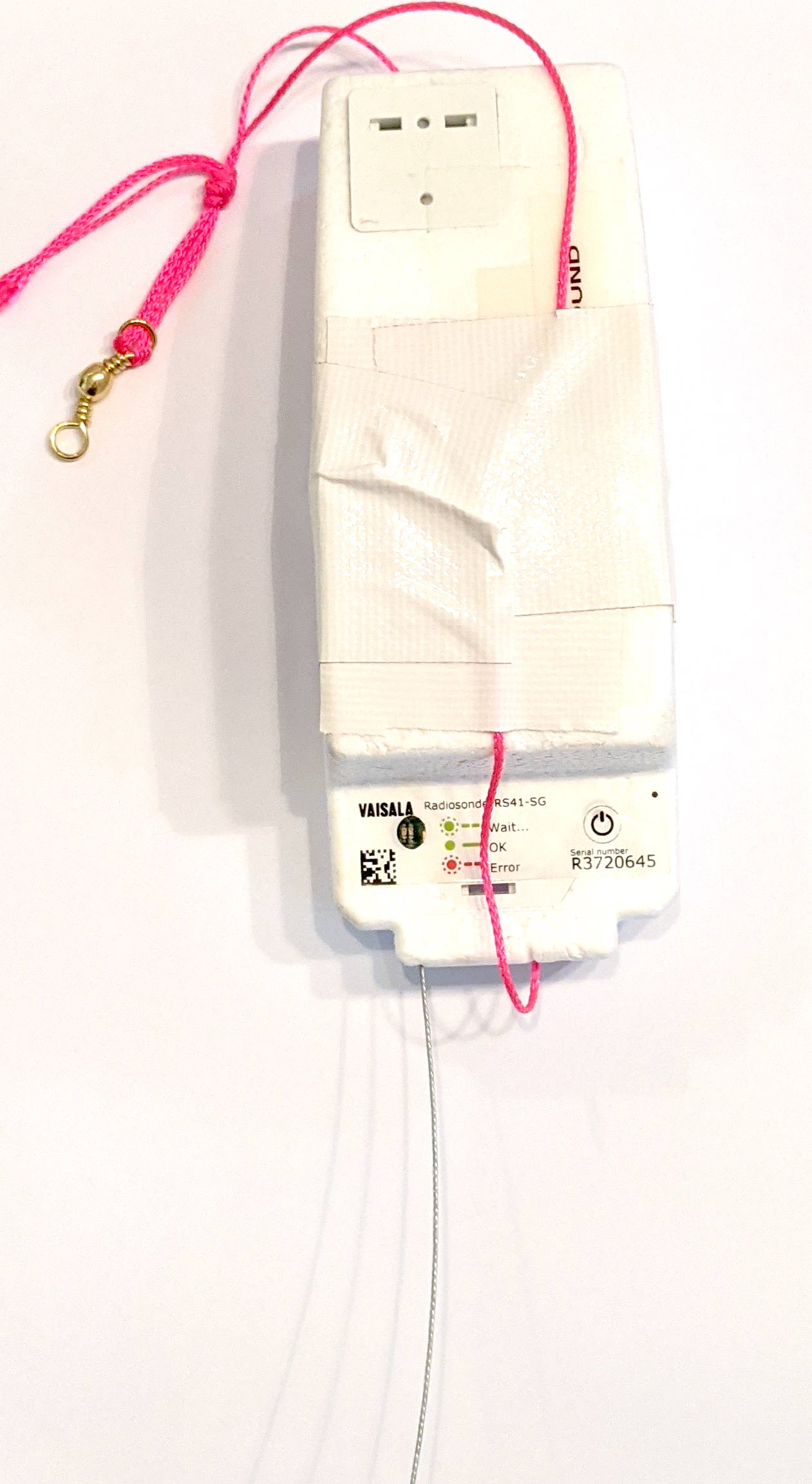
Reprogrammed RS41The primary tracking telemetry will be transmitted on 434.200 MHz using the new Horus Binary v3 4FSK data mode.

To receive telemetry, you’ll need either a SSB-capable 70cm receiver (think IC-7100/705/9700, FT-817, etc), or a SDR (e.g. RTLSDR or AirSpy), and some kind of 70cm antenna. Horus Binary is very robust, so it doesn’t take much antenna to receive this telemetry – a small vertical will work just fine!

Our decoding software is available for a range of platforms:

  • Windows / Mac – Horus-GUI – If you’re running Windows or a newer Mac, you can use our ‘Horus-GUI’ telemetry decoder software! Make sure you are on v0.6.0 or newer to decode the Horus Binary v3 telemetry. We have a detailed guide on setting this up, which is available by clicking here!
  • Windows / Mac / Linux / Android / iPhone – WebHorus – On almost any platform (including many mobile phones!) you can also decode the Horus Binary telemetry in a web browser using either audio input, or a RTLSDR (Android / Chrome only) by clicking this link! 
  • Raspberry Pi / Linux – If you have a spare RTLSDR and a Raspberry Pi (or other linux machine), you can set up a dedicated Horus Binary receiving station by following this guide.

Amateurs in the Adelaide and Central SA region are encouraged to get involved with the flight through receiving and uploading flight telemetry from our 70cm band tracking beacons. Every piece of telemetry data is valuable to the flight tracking and recovery teams so if you can help join the distributed receiver network to collect that data you will be making an important contribution to the project!

Backup Telemetry – Horus Binary 434.210 MHz – VK5ARG

A backup tracking payload will be transmitting on 434.210 MHz also using the Horus Binary 4FSK data mode, and can be received in the same way as the primary tracking payload, with information above. For this payload you will need to use a USB ‘dial’ frequency of 434.209 MHz.

Click this link to start up a browser-based receiver:

WebHorus – 434.210 MHz

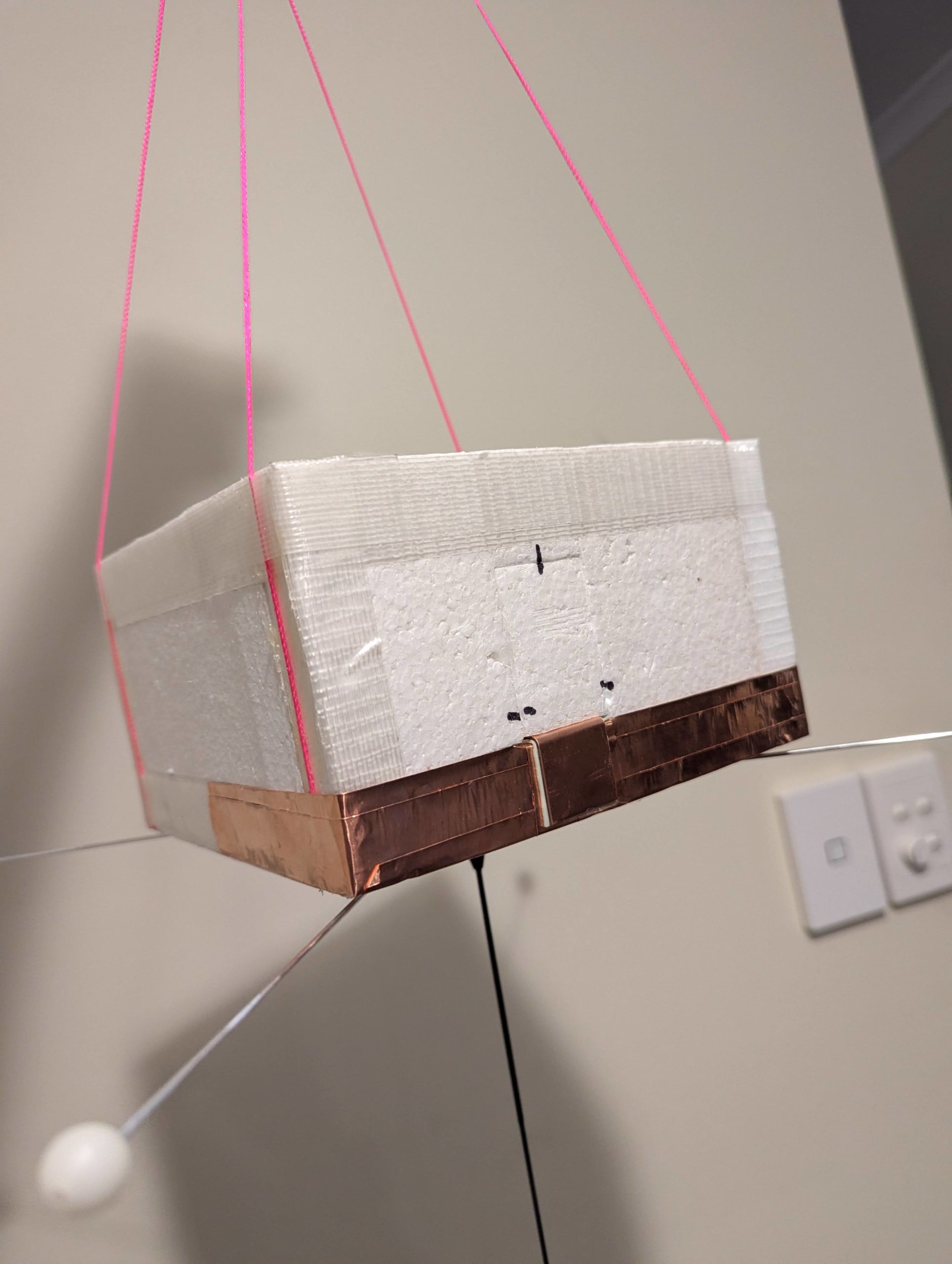
MeshCore Repeater Payload – “SA-HorusHAB-VK5ALG-RP”

This flight will include a MeshCore repeater payload operating using the “Australia (Narrow)” settings. This should allow relaying of messages from the Victorian MeshCore network into South Australia. This payload does not have an onboard GNSS receiver, so will not be beaconing a valid position.

To communicate via this payload, you will need to configure your MeshCore node as follows:

  • Radio Settings -> Selected Preset -> “Australia (Narrow)”
    • For reference, the Australia (Narrow) preset uses the following Settings:
      • Frequency: 916.575 MHz
      • Bandwidth: 62.5 kHz
      • Spreading Factor: 7
      • Coding Rate: 8
  • Experimental Settings -> Path Hash Size -> Default Path Hash Size -> 2-byte
  • Do not enable repeater mode on nodes in South Australia! 

Communication on MeshCore will be mostly via the Public chatroom.

Next Project Horus Launch – CSIRO Payload – Sunday June 14th

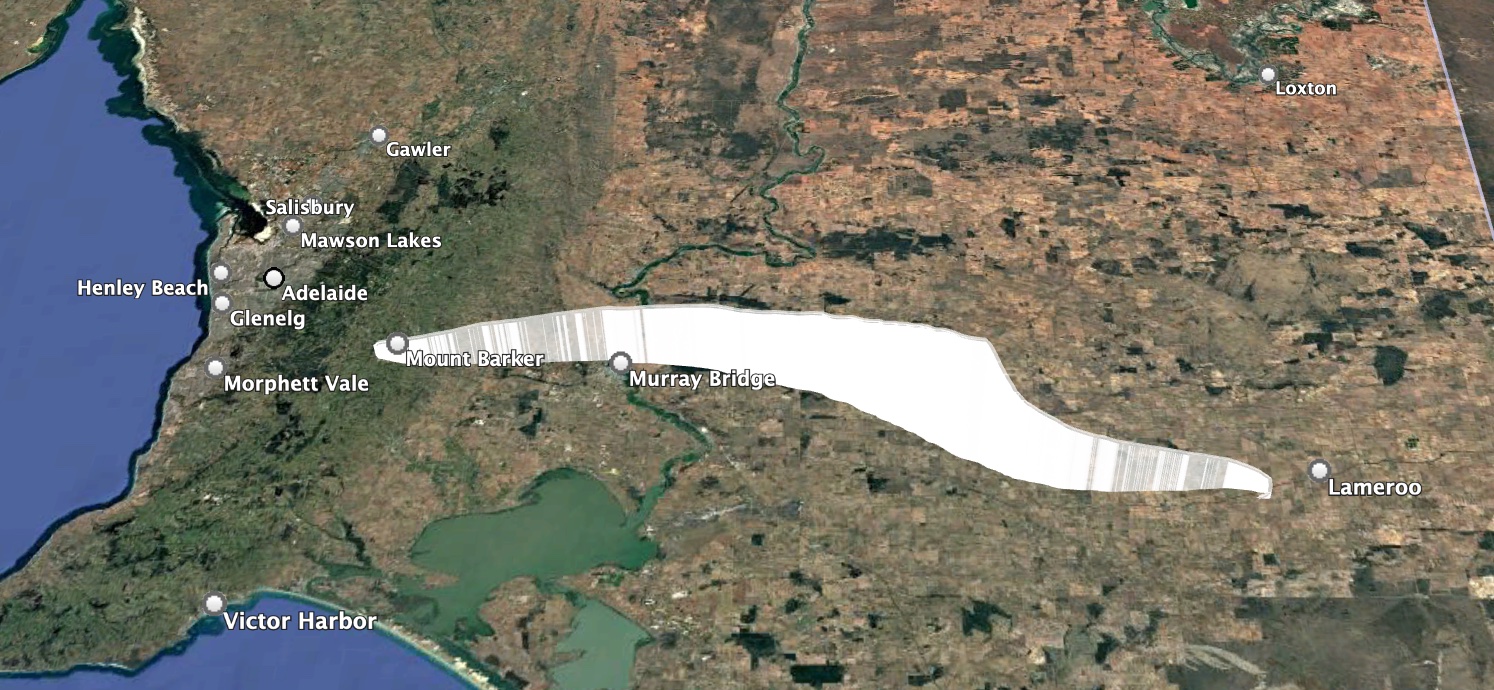
UPDATE: Thanks to everyone that helped track today’s flight! The launch was a huge success, with the payload reaching 28.8km and landing in a paddock near Lameroo. All payloads were recovered in good condition. Stay tuned for a writeup within the next few weeks!

Project Horus’s next launch is currently planned for Sunday the 14th of June, with a backup date the following weekend. Launch time is planned for 10AM, with launch crew on-site around 9:15AM. This flight will be for CSIRO, flying a thermal imaging payload.

This flight is very dependent on low cloud-cover conditions. It may be cancelled and re-scheduled at late notice. 

This flight will have the following tracking payloads:

  • Primary: ‘HORUS’ 434.200 MHz
  • Backup: ‘VK5ARG’ 434.210 MHz
  • Wenet Imagery: 443.500 MHz

You can find more information about how to decode this telemetry further below.

This launch is currently planned to be performed from the Mt Barker High School Oval, which is accessible from Stephenson Street, Mt Barker.

Mt Barker Launch Site

TRACKING LINKS

Primary Telemetry – Horus Binary v3 – 434.200 MHz – “HORUS”

Reprogrammed RS41The primary tracking telemetry will be transmitted on 434.200 MHz using the new Horus Binary v3 4FSK data mode.

To receive telemetry, you’ll need either a SSB-capable 70cm receiver (think IC-7100/705/9700, FT-817, etc), or a SDR (e.g. RTLSDR or AirSpy), and some kind of 70cm antenna. Horus Binary is very robust, so it doesn’t take much antenna to receive this telemetry – a small vertical will work just fine!

Our decoding software is available for a range of platforms:

  • Windows / Mac – Horus-GUI – If you’re running Windows or a newer Mac, you can use our ‘Horus-GUI’ telemetry decoder software! Make sure you are on v0.6.0 or newer to decode the Horus Binary v3 telemetry. We have a detailed guide on setting this up, which is available by clicking here!
  • Windows / Mac / Linux / Android / iPhone – WebHorus – On almost any platform (including many mobile phones!) you can also decode the Horus Binary telemetry in a web browser using either audio input, or a RTLSDR (Android / Chrome only) by clicking this link! 
  • Raspberry Pi / Linux – If you have a spare RTLSDR and a Raspberry Pi (or other linux machine), you can set up a dedicated Horus Binary receiving station by following this guide.

Amateurs in the Adelaide and Central SA region are encouraged to get involved with the flight through receiving and uploading flight telemetry from our 70cm band tracking beacons. Every piece of telemetry data is valuable to the flight tracking and recovery teams so if you can help join the distributed receiver network to collect that data you will be making an important contribution to the project!

Backup Telemetry – Horus Binary 434.210 MHz – VK5ARG

A backup tracking payload will be transmitting on 434.210 MHz also using the Horus Binary 4FSK data mode, and can be received in the same way as the primary tracking payload, with information above. For this payload you will need to use a USB ‘dial’ frequency of 434.209 MHz.

Click this link to start up a browser-based receiver:

WebHorus – 434.210 MHz

Wenet Imagery – 443.500 MHz

Imagery on this flight will be transmitted via the Wenet downlink system, which uses 96 kbit/s Frequency-Shift-Keying to send HD snapshots. Reception of the Wenet imagery requires a RTLSDR, and a 70cm antenna with some gain (a 5-element Yagi is usually enough).

We will be using the new ‘Wenet v2’ mode. There is information on updating existing Wenet receive setups available here.

Wenet can now be received on almost any modern computer, and even some newer android devices, using the new WebWenet software! This operates entirely within a web browser. Information on how to get setup to use this is available here: https://www.youtube.com/watch?v=Euo4BGB6wUU

Click this link to start up a browser-based receiver:

Wenet Web Receiver – 443.5 MHz
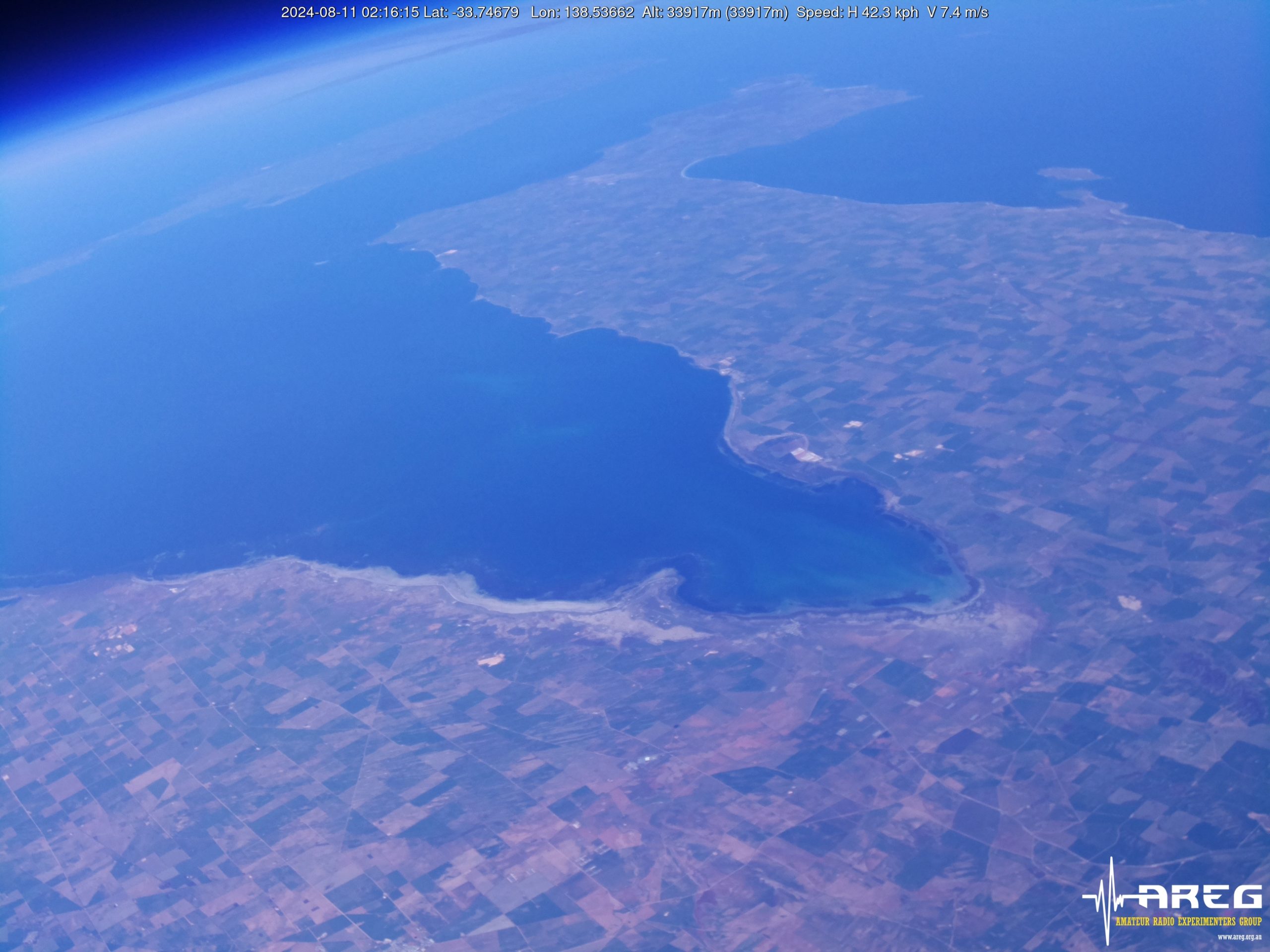
Wenet imagery from Horus 62

We encourage new listeners to try out the WebWenet software for decoding signals on this flight – however you can also still receive the signal using the Linux-based decoder, with details on this available here:

https://github.com/projecthorus/wenet/wiki/Wenet-RX-Instructions-(Linux-using-Docker)

During the flight, the live imagery will be available at this link: http://ssdv.habhub.org/

Horus 71 Flight Report

🚀 Introducing LaunchBox: Australia's Launchpad for Future Space Leaders🚀 At Fleet Space, we believe the power of STEM education and hands-on experience with advanced technologies are the launchpad for the next generationHorus 71 was a flight for Fleet Space, as part of their 2026 LaunchBox STEM program. In this program, the participating schools compete to have their RASCube-LB flown under a high altitude balloon – launched by AREG!

This is the third launch we’ve performed for Fleet Space, with the previous two reported on in this post.

The winning schools this round were The Gap State High School in Queensland, and Ashdale Secondary College in Western Australia – congratulations to the teams!

Launch

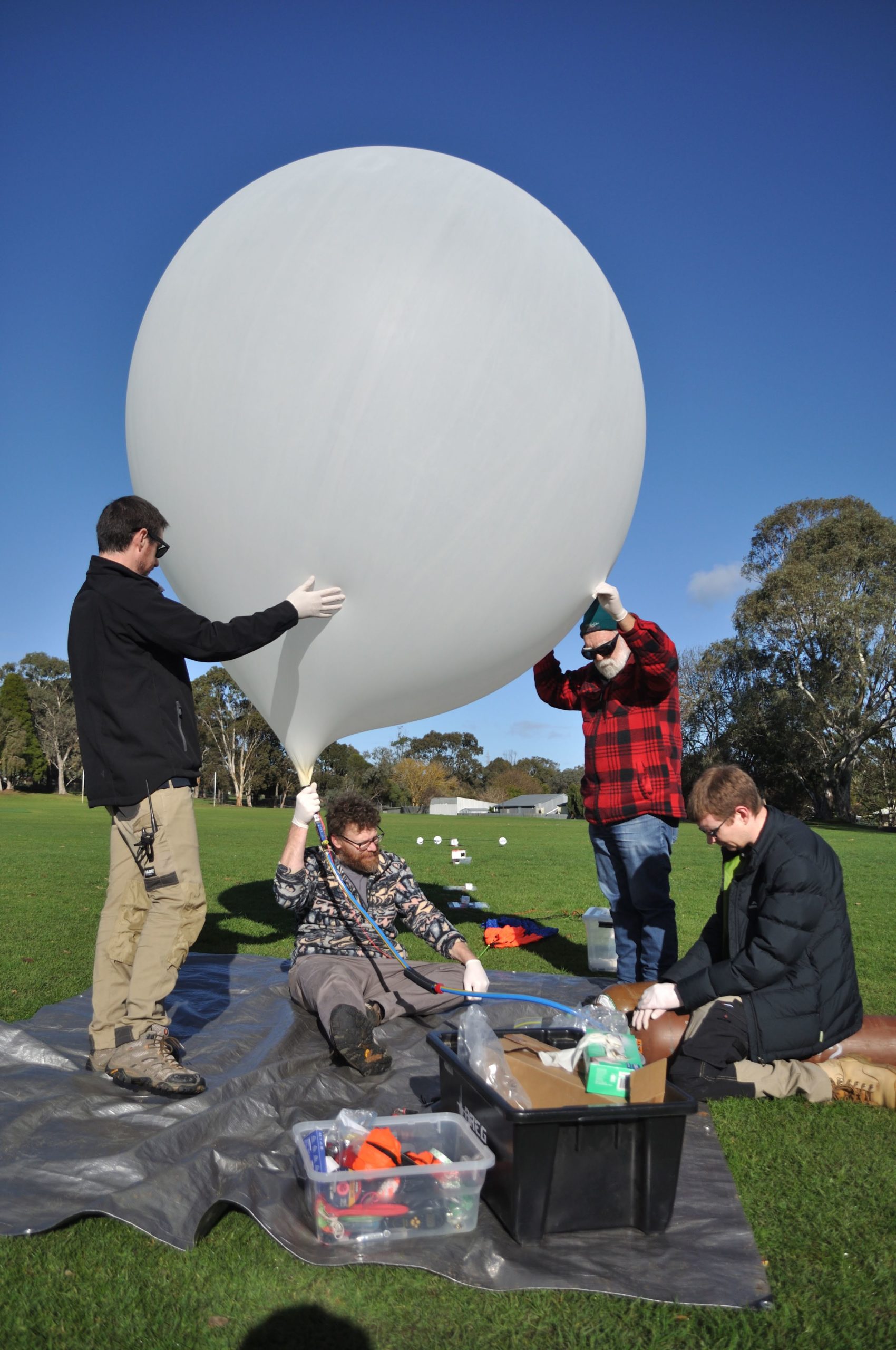
While we did have a lot of cloud cover (making day unsuitable for a launch of the CSIRO payload, still to be launched), we couldn’t have asked for calmer launch site weather! Setup for the launch and filling went smoothly, with many helpers on-site to make things easier. At the launch site we also had Ed from Robinson Aerospace, capturing video of the event on behalf of Fleet Space, to share with the student participants.

The balloon train was able to be raised perfectly vertically into the air, and after a small delay to let a light aircraft clear the area, we had a short countdown and a perfect launch!

Thanks to Andy VK5AKH for the launch footage!

Chase & Recovery

Out on the chase this flight were:

  • Mark VK5QI, Will VK5AHV and Autumn VK5CLD
  • Ed Robinson & Father
  • Peter VK5APR

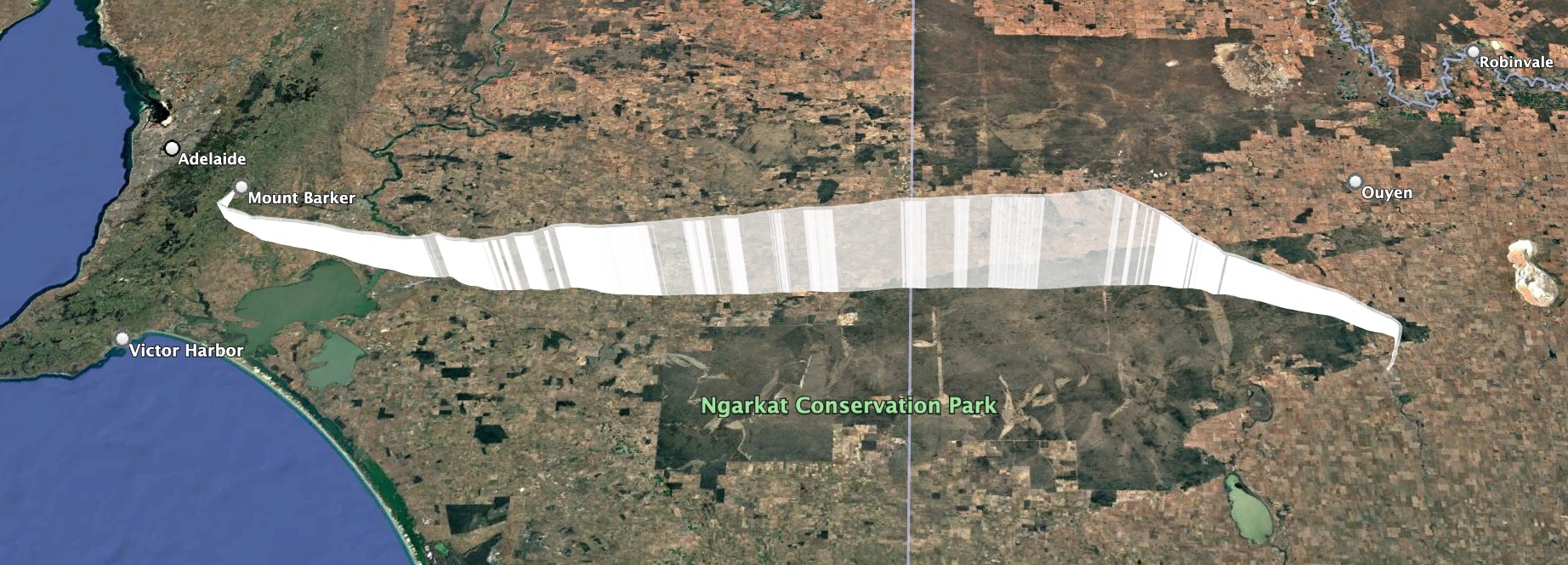
With the predicted flight path heading out towards Karoonda, the chase teams headed off to Tailem Bend to grab an early lunch. While waiting around, they noticed the balloon had burst slightly earlier than expected at an altitude of 26.969 km, somewhat lower than the expected 31 km. The teams quickly ran back to their cars and headed off for the landing area, which ended up being only 24km to the west of Tailem Bend. The last few km of the descent dropped almost straight down, and the teams were able to get in position to watch the payloads land (with a bit of a bounce!) in an empty paddock (footage from Autumn VK5CLD):

Horus 71 Flight Statistics

Launch Date:2026-05-17T00:48:30Z
Landing Date:2026-05-17T03:03:24Z
Launch Site:-35.07579, 138.85710
Landing Site:-35.22105, 139.71689
Distance Travelled:79 km
Maximum Altitude:29629 m

Horus 71 Flight Path

Wenet Payload & Imagery

Due to the issues with the ‘HQ’ imagery payload, the Wenet payload on this flight was using a PiCamera v2. Usually we have good success with these, but unfortunately it looks like newer models of these still have thermal drift problems. During this launch we noticed the focus drifting out of alignment as we passed into the tropopause. Still, we ended up with quite a few nice photos! We’re hoping to have the Wenet ‘HQ’ payload back in operation for the next launch.

Thanks to Peter VK5KX for setting up his excellent ground station to receive imagery on this flight! His station received the bulk of the image data that was seen live on the web, with a small amount coming from Mark VK5QI’s chase car receiver.

Telemetry Reception Statistics

On this flight we had the following receivers for the telemetry payloads:

  • Primary (‘HORUS’): BARC_RRR, Gum, VK3APJ,   VK3BKQ, VK3BQ, VK3TAP, VK5AH, VK5AI, VK5AKK, VK5ALG, VK5APR, VK5ARG, VK5BRL, VK5DLW, VK5DSP, VK5FD, VK5GA, VK5GY, VK5HW, VK5KX, VK5KX-9, VK5LN, VK5NEX, VK5OCD, VK5QI-1, VK5QI-9, VK5ST-5, VK5TUX, VK5ZAP, VK5ZAR, VK5ZMD, VK5RK, vk5is, vk5mhz, webhorus-p9zuu5
  • Secondary (‘VK5ARG’): BARC_RRR, VK3APJ, VK3BKQ, VK3BQ, VK5ALG, VK5APR, VK5ARG, VK5BRL, VK5KX-9, VK5QI-9, VK5ST-5

The longest receive distance was by VK3TAP, at a range of 627km!

SondeHub-Amateur Tracker Showing Horus 71 flight and receivers

You can find dashboard with per-receiver reception information at the following links:

Thanks to everyone that helped received telemetry on this flight!

Next Launches

Our next launch will most likely be for CSIRO – we’ll be looking out for a weekend with clear weather to get their imaging payload in the air. This could be happening as soon as the 14th of June, however given the generally poor weather we have in Winter, we can expect this to shift to the right. Stay tuned to this website and the VK5 local broadcast for launch updates.

Following this, we hope to finally fly the VHF/UHF cross-band repeater again, hopefully sometime in July/August.

Next Project Horus Launch – LaunchBox Payloads – NOW SUNDAY 17th MAY

UPDATE: Thanks to everyone that helped launch and track this flight! A short report will be published at some point in the next few weeks. 

We still have a launch to perform for CSIRO – this may occur on any Sunday over the next few weeks (except the June Long Weekend). We’ll try and get news out about this launch as early as possible.


Project Horus’s next launch is currently planned for Sunday the 17th of May, with a backup date the following weekend. Launch time is planned for 10AM, with launch crew on-site around 9:15AM.
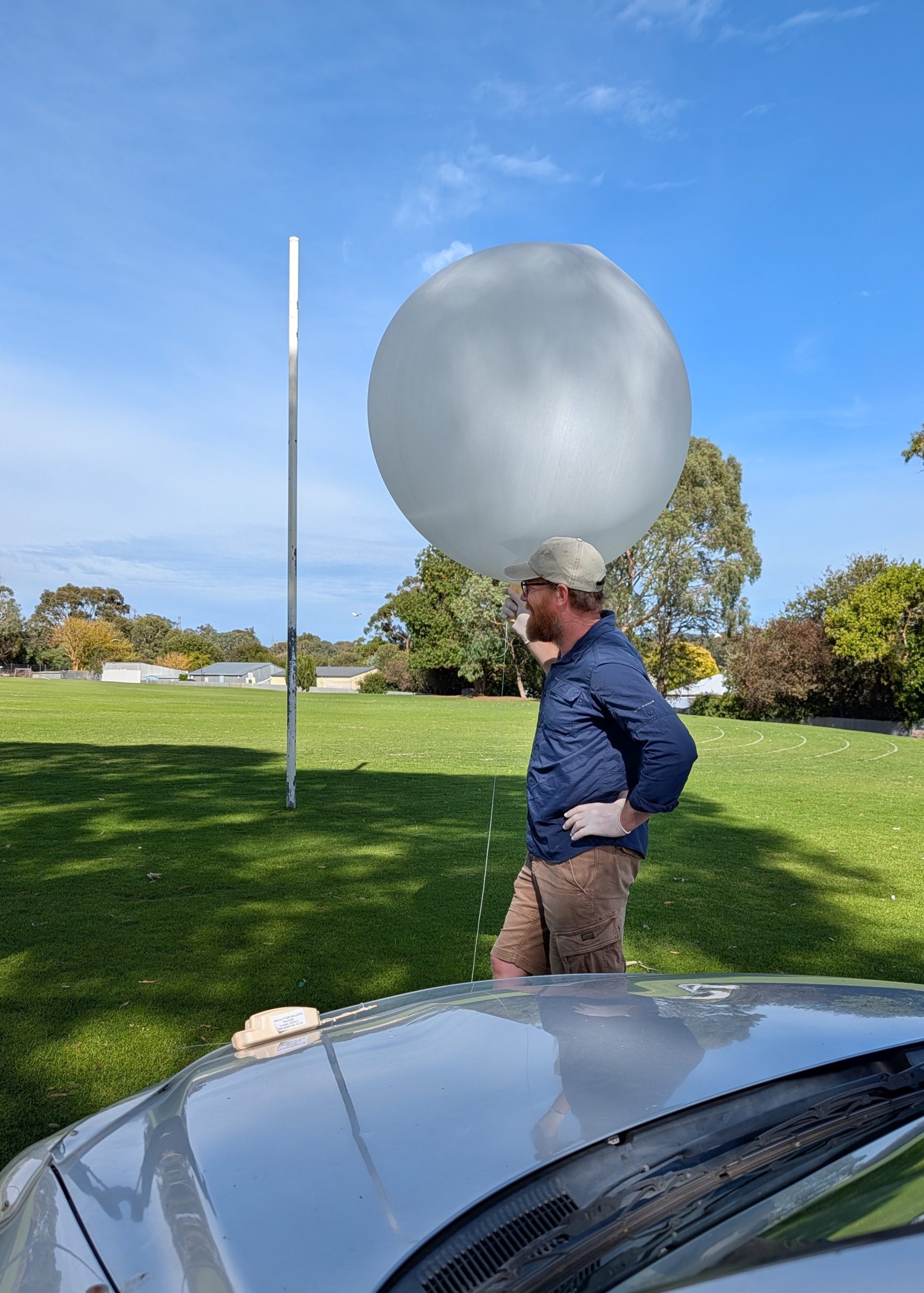
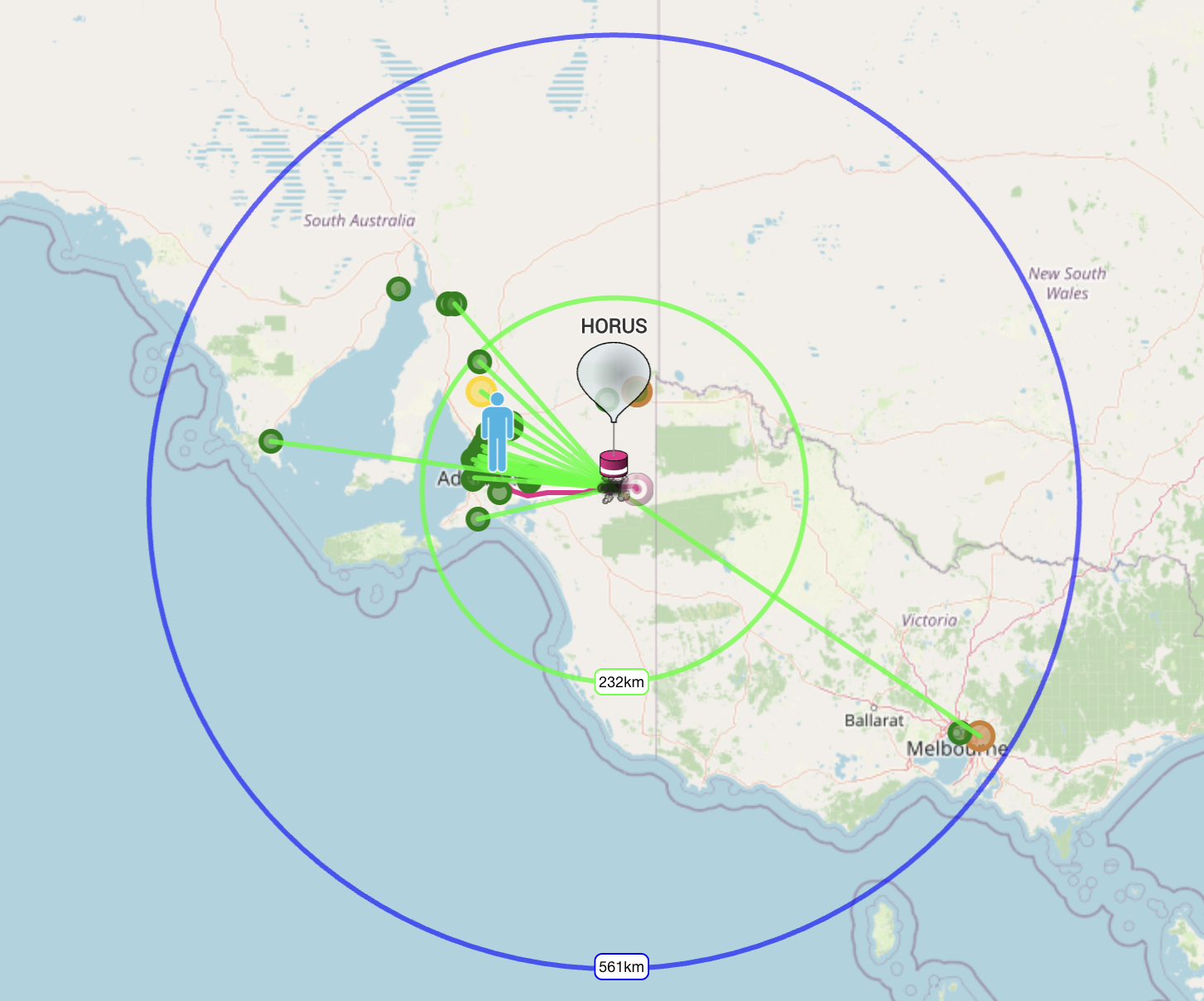
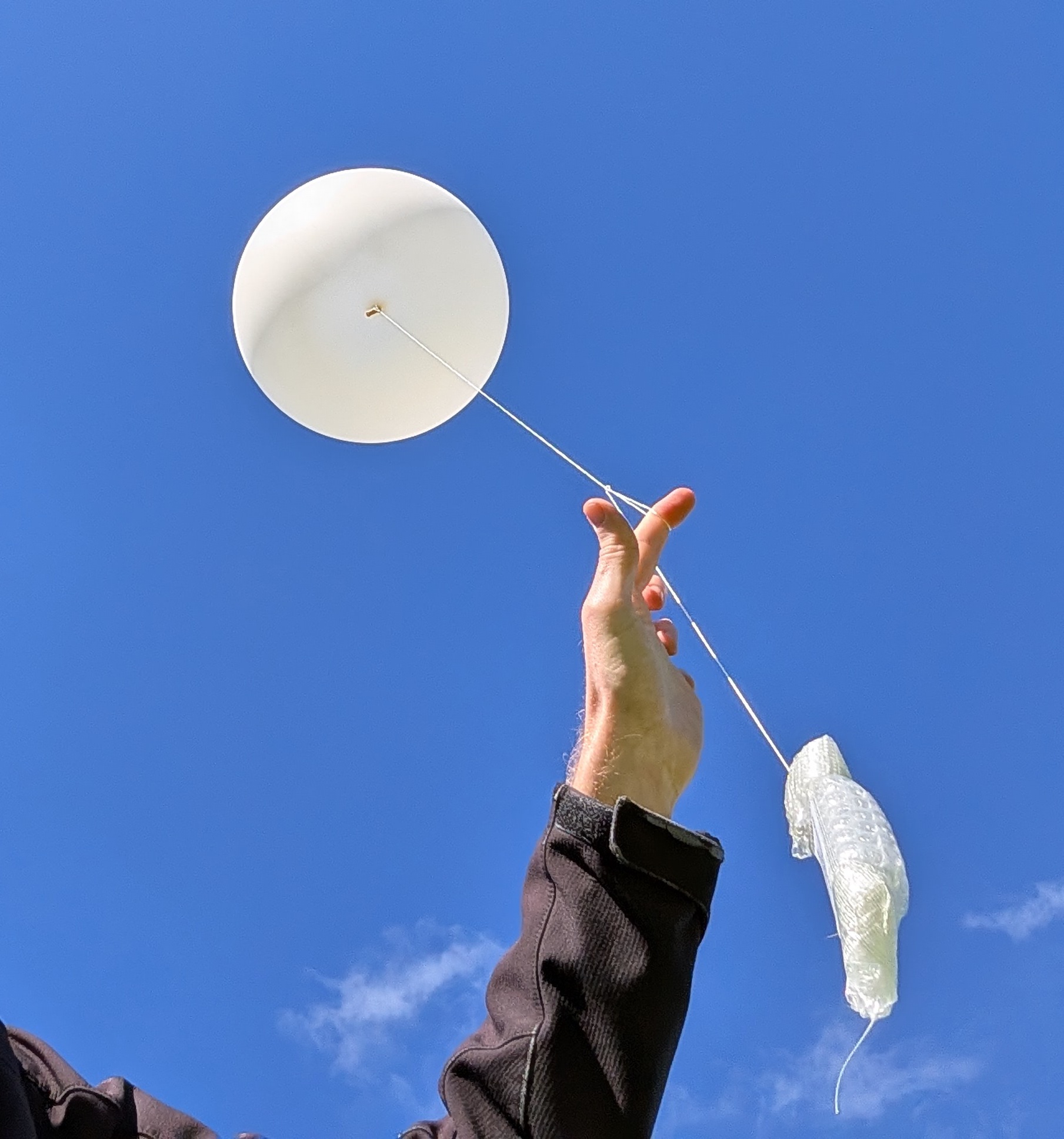
This flight will be carrying the latest set of LaunchBox student payloads, as part of Fleet Space’s LaunchBox STEM outreach program.

This flight will have the following tracking payloads:

  • Primary: ‘HORUS’ 434.200 MHz
  • Backup: ‘VK5ARG’ 434.210 MHz
  • Wenet Imagery: 443.500 MHz

You can find more information about how to decode this telemetry further below.

This launch is currently planned to be performed from the Mt Barker High School Oval, which is accessible from Stephenson Street, Mt Barker.

Mt Barker Launch Site

TRACKING LINKS

Primary Telemetry – Horus Binary v3 – 434.200 MHz – “HORUS”

Reprogrammed RS41The primary tracking telemetry will be transmitted on 434.200 MHz using the new Horus Binary v3 4FSK data mode.

To receive telemetry, you’ll need either a SSB-capable 70cm receiver (think IC-7100/705/9700, FT-817, etc), or a SDR (e.g. RTLSDR or AirSpy), and some kind of 70cm antenna. Horus Binary is very robust, so it doesn’t take much antenna to receive this telemetry – a small vertical will work just fine!

Our decoding software is available for a range of platforms:

  • Windows / Mac – Horus-GUI – If you’re running Windows or a newer Mac, you can use our ‘Horus-GUI’ telemetry decoder software! Make sure you are on v0.6.0 or newer to decode the Horus Binary v3 telemetry. We have a detailed guide on setting this up, which is available by clicking here!
  • Windows / Mac / Linux / Android / iPhone – WebHorus – On almost any platform (including many mobile phones!) you can also decode the Horus Binary telemetry in a web browser using either audio input, or a RTLSDR (Android / Chrome only) by clicking this link! 
  • Raspberry Pi / Linux – If you have a spare RTLSDR and a Raspberry Pi (or other linux machine), you can set up a dedicated Horus Binary receiving station by following this guide.

Amateurs in the Adelaide and Central SA region are encouraged to get involved with the flight through receiving and uploading flight telemetry from our 70cm band tracking beacons. Every piece of telemetry data is valuable to the flight tracking and recovery teams so if you can help join the distributed receiver network to collect that data you will be making an important contribution to the project!

Backup Telemetry – Horus Binary 434.210 MHz – VK5ARG

A backup tracking payload will be transmitting on 434.210 MHz also using the Horus Binary 4FSK data mode, and can be received in the same way as the primary tracking payload, with information above. For this payload you will need to use a USB ‘dial’ frequency of 434.209 MHz.

Click this link to start up a browser-based receiver:

WebHorus – 434.210 MHz

Wenet Imagery – 443.500 MHz

Imagery on this flight will be transmitted via the Wenet downlink system, which uses 96 kbit/s Frequency-Shift-Keying to send HD snapshots. Reception of the Wenet imagery requires a RTLSDR, and a 70cm antenna with some gain (a 5-element Yagi is usually enough).

We will be using the new ‘Wenet v2’ mode. There is information on updating existing Wenet receive setups available here.

Wenet can now be received on almost any modern computer, and even some newer android devices, using the new WebWenet software! This operates entirely within a web browser. Information on how to get setup to use this is available here: https://www.youtube.com/watch?v=Euo4BGB6wUU

Click this link to start up a browser-based receiver:

Wenet Web Receiver – 443.5 MHz

Wenet imagery from Horus 62

We encourage new listeners to try out the WebWenet software for decoding signals on this flight – however you can also still receive the signal using the Linux-based decoder, with details on this available here:

https://github.com/projecthorus/wenet/wiki/Wenet-RX-Instructions-(Linux-using-Docker)

During the flight, the live imagery will be available at this link: http://ssdv.habhub.org/

Project Horus 70A/B Report – Test & Tune Flights

Horus flights 70A & 70B were ‘test & tune’ flights, giving receiving stations a chance to update their decoding software to receive our new ‘Horus Binary v3’ telemetry mode. These were run on the 15th and 29th of March, with just a single tracking payload flown on each launch.

Horus 70A – 15th March 2026

This was the first of the test & tune flights, launched at 10:30AM on a nice calm and sunny day at Mt Barker.

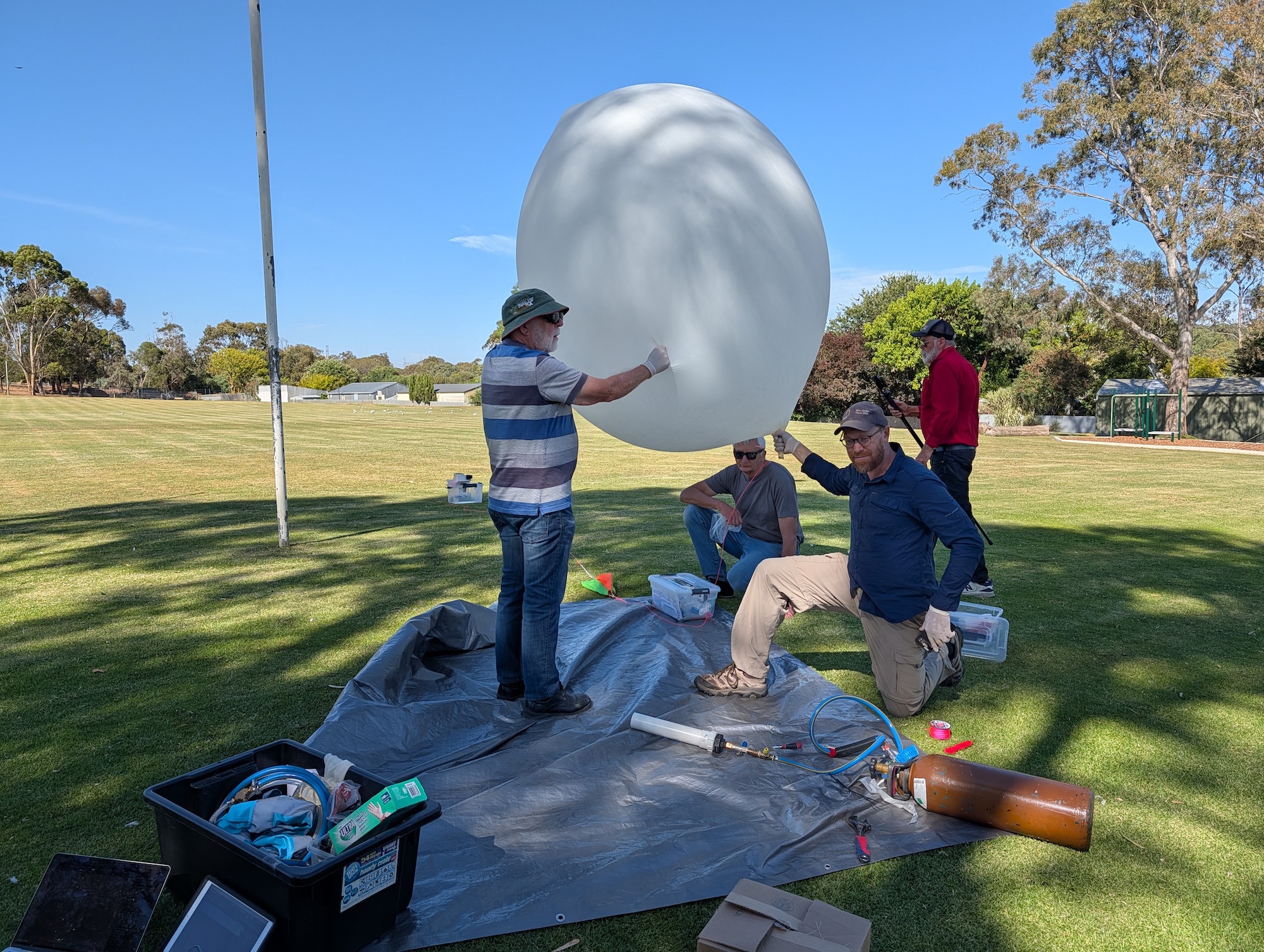
Waiting for launch!

The payload on this flight was a single Vaisala RS41-SGE radiosonde, reprogrammed with the RS41ng open-source firmware. A Hwoyee 200g balloon was used, with a slow ascent rate targeting around 23-34km burst altitude – we ended up achieving a burst of 28.7km! The payload landed in a paddock approximately 15km to the north of Lameroo.

We had a great turnout of receivers on this flight, with 34 stations uploading telemetry for the new Horus Binary v3 mode. These were as follows:

AX5AA, BARC_4, Gum, VK3BQ, VK5AI, VK5AKK, VK5ALG, VK5APR, VK5ARG, VK5BL, VK5CV, VK5DSP, VK5GY, VK5HS/p, VK5HW, VK5KX, VK5LN, VK5NEX, VK5OCD, VK5OI, VK5PJ, VK5QI-9, VK5SFA/R, VK5ST, VK5ZAR, VK5ZM, VK5ZMD, VK5ZMK, VK5ZTS, VK5RK, VK5IS, webhorus-jms, webhorus-jyyrhv, webhorus-p9zuu5

Horus 70A Receiving Stations (Green dots)

The longest received distance was to Andrew VK3BQ with a range of 529km, and the last packet was received by Ivan VK5HS at 113km range, both excellent efforts!

A dashboard for the flight is available by clicking here.

Horus 70B – 29th March 2026

Another calm launch day! This time around we used a smaller 100g balloon, targeting about 20km altitude. The payload was also a re-programmed Vaisala RS41 radiosonde, however this time it was modified to run off a single AA battery. This reduces the runtime to < 8 hours, but also reduces the payload mass to less than 40 grams!

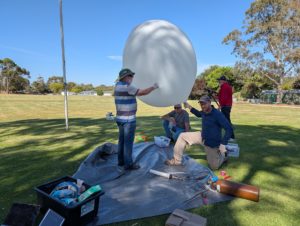
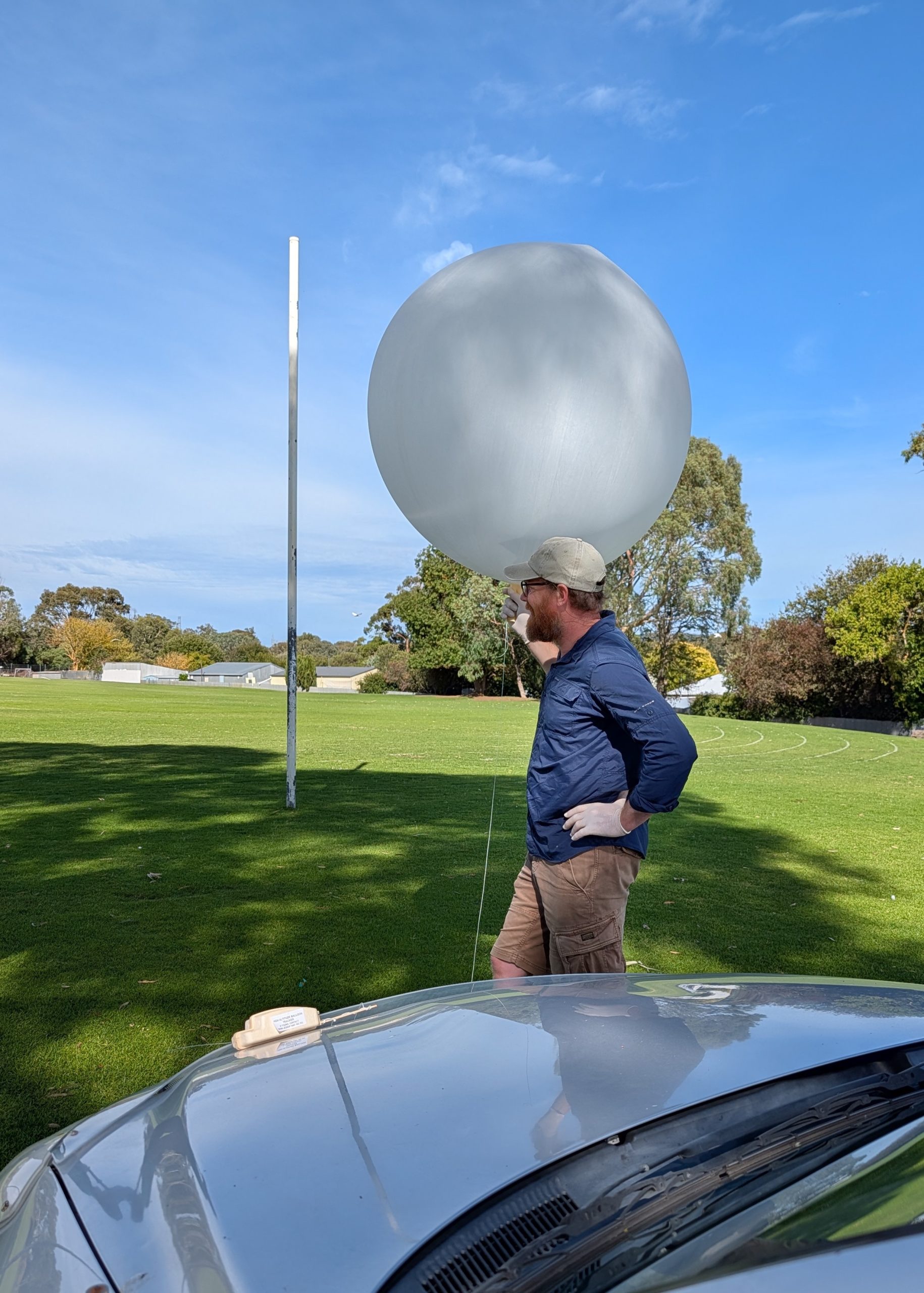
Horus 70B just before release.

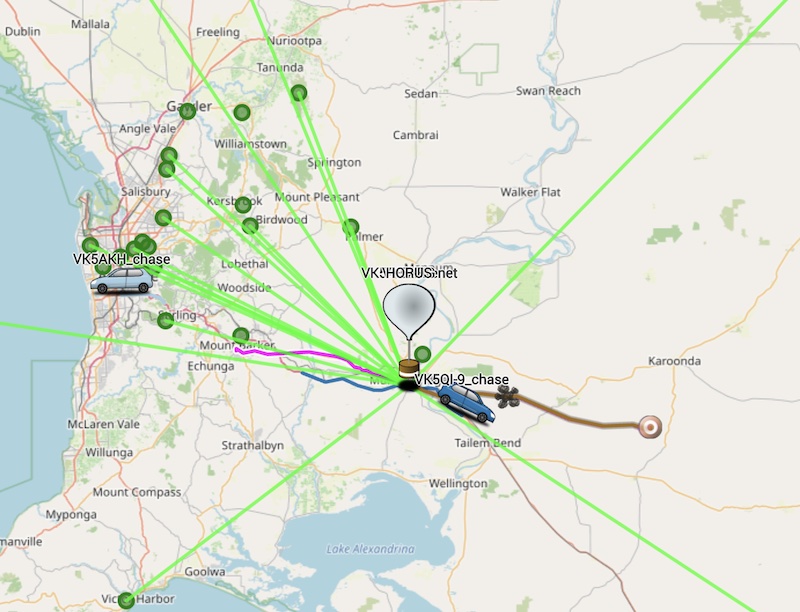
We ended up with a slow flight tracking north from the Mt Barker launch site, ascending to 23825m before bursting and landing north of Kersbrook.

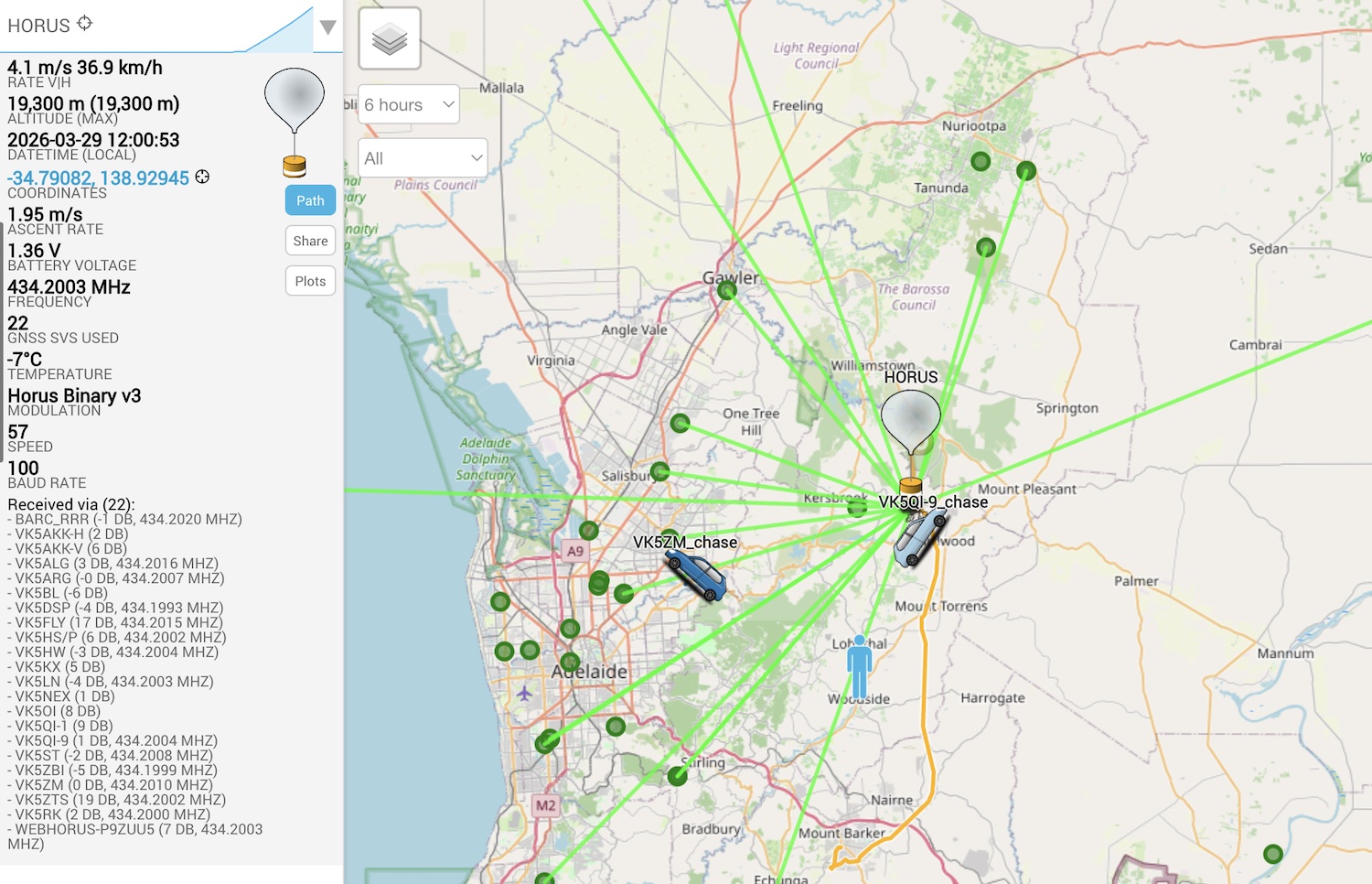
Screengrab of the Sondehub-Amateur tracker during the flight, showing many receiving stations

We had a great round up of receiving stations, with 34 unique callsigns contributing to the tracking effort! It was also great to see a few new callsigns on the list compare to the previous flight. The full list of receiving stations is as follows:

BARC_RRR, Gum, MILEEND, VK5AKK-H, VK5AKK-V, VK5ALG, VK5ALG Mac ,VK5APR, VK5ARG, VK5BL, VK5CV, VK5DSP, VK5FLY, VK5GA, VK5HS/p, VK5HW, VK5KX, VK5LN, VK5NEX, VK5OCD, VK5OI, VK5QI-1, VK5QI-9, VK5ST, VK5ZAP, VK5ZBI, VK5ZM, VK5ZMD, VK5ZTS, VK5RK, vk5is, vk5st-991, vk5zts-1, webhorus-p9zuu5

The longest reception on this flight was by Michael VK5LN in Pt Lincoln, at a range of 285km – great work Michael!

A dashboard for this flight is available by clicking here.

Next Project Horus Launches

Thanks to everyone that updated their tracking software and received these launches! We’re now much more confident in being able to move to Horus Binary v3 telemetry on our upcoming flights – having tracking redundancy through the many home stations receiving our flights really helps in ensuring they can be safely tracked and recovered.

Our next launch is planned to occur on Sunday the 26th of April, with a backup date on Sunday the 3rd of May. We are also expecting to perform a launch in mid to late May as part of the LaunchBox program. More details on these launches should be release in the next few weeks!

Next Project Horus Launches – Horus Binary v3 Test & Tune Flights – Sunday 15th & 29th March

UPDATE: Thanks to everyone that received our first test & tune flight on the 15th of March! We had a great turnout of receivers, with 34 stations tuning in to the telemetry! We’ll be back for another one of these test & tune flights on Sunday the 29th of March, at the same launch time!

Project Horus will be performing their next high-altitude balloon launch on Sunday the 29th of March – aiming for a 10:30AM launch time on both Sundays.

These launches will be flying our new ‘Horus Binary v3’ tracking payloads, and are intended to give receiving stations more opportunities to get setup to decode this new mode before we switch to it on future launches!

These will be ‘fire-and-forget’ launches – no chase, no recovery – there is no need to set up portable receiver stations – see what you can receive from home!

To be able to receive the Horus Binary v3 telemetry on this flight you will need to update to the latest versions of our decoding software – more details below!

Both launches are currently planned to be performed from the Mt Barker High School Oval, which is accessible from Stephenson Street, Mt Barker.

Mt Barker Launch Site

The launch time is expected to be 10:30AM, with launch crews arriving on-site around 10:00 AM. Please note that we are not intending to chase or recover these payloads!

TRACKING LINKS

Primary Telemetry – Horus Binary v3 – 434.200 MHz – “HORUS”

Reprogrammed RS41The primary tracking telemetry will be transmitted on 434.200 MHz using the new Horus Binary v3 4FSK data mode.

The v3 update adds much more flexibility in the telemetry format, giving payload developers the ability to add extra sensors and send much more data than was previously possible.

To receive telemetry, you’ll need either a SSB-capable 70cm receiver (think IC-7100/705/9700, FT-817, etc), or a SDR (e.g. RTLSDR or AirSpy), and some kind of 70cm antenna. Horus Binary is very robust, so it doesn’t take much antenna to receive this telemetry – a small vertical will work just fine!

Our decoding software is available for a range of platforms:

  • Windows / Mac – Horus-GUI – If you’re running Windows or a newer Mac, you can use our ‘Horus-GUI’ telemetry decoder software! Make sure you are on v0.6.0 or newer to decode the Horus Binary v3 telemetry. We have a detailed guide on setting this up, which is available by clicking here!
  • Windows / Mac / Linux / Android / iPhone – WebHorus – On almost any platform (including many mobile phones!) you can also decode the Horus Binary telemetry in a web browser using either audio input, or a RTLSDR (Android / Chrome only) by clicking this link! 
  • Raspberry Pi / Linux – If you have a spare RTLSDR and a Raspberry Pi (or other linux machine), you can set up a dedicated Horus Binary receiving station by following this guide.

Amateurs in the Adelaide and Central SA region are encouraged to get involved with the flight through receiving and uploading flight telemetry from our 70cm band tracking beacons. Every piece of telemetry data is valuable to the flight tracking and recovery teams so if you can help join the distributed receiver network to collect that data you will be making an important contribution to the project!

Horus 69 Flight Report

Project Horus’s 69’th flight was held on the 18th of January 2026, launching from our usual launch site, the Mt Barker High School oval. This flight was a test of a few new and experimental payloads, including our first flight of the new ‘Horus Binary v3’ tracking telemetry mode.

The launch was an easy one, with only light winds at the launch site. It was great to see a few new faces along to see what a high-altitude balloon launch is all about!

The predicted flight path allowed for a fairly relaxed chase, so the chase teams headed off to Tailem Bend for some lunch while waiting for the balloon rise closer to its expected burst altitude. Chasing the flight were Mark VK5QI. Will VK5AHV, Autumn VK5CLD, and Peter VK5APR. We also had Peter VK5KX and Matt VK5ZM set up near Palmer tracking the flight.

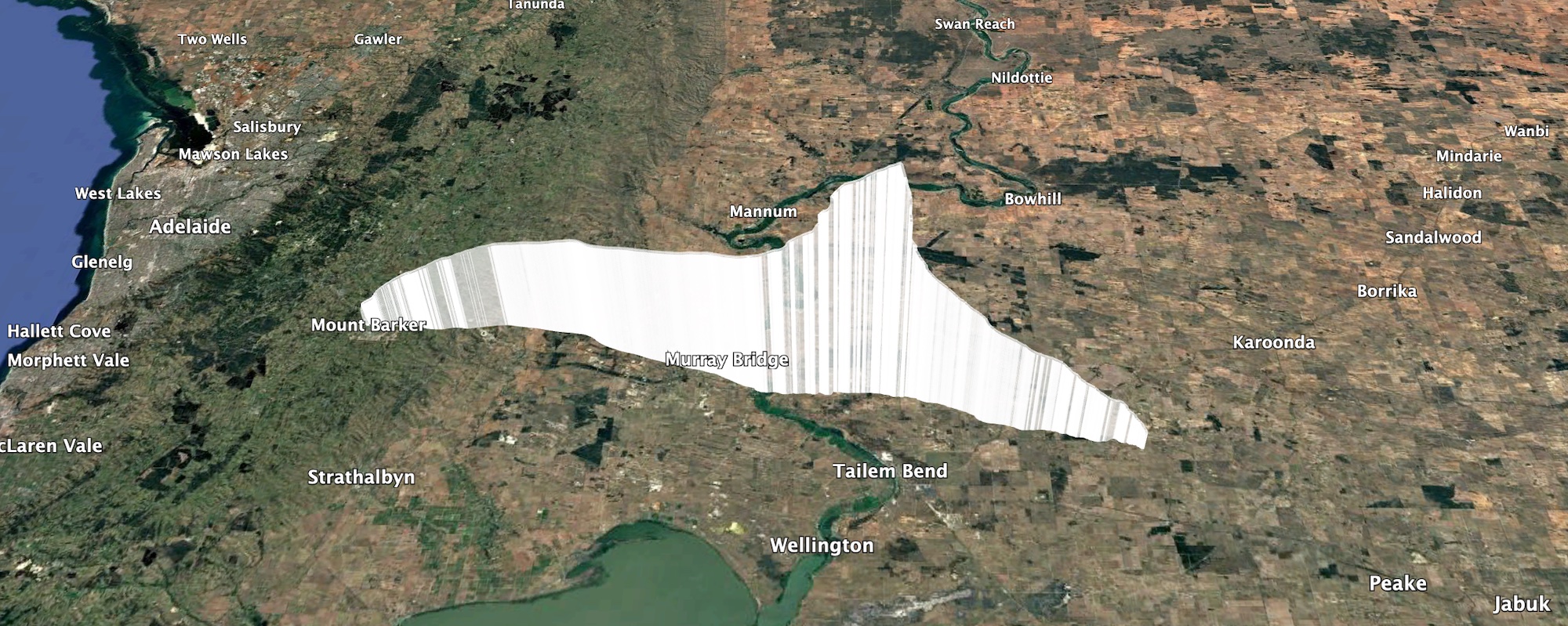
The balloon ended up bursting at 33.831km altitude, a good 3 km higher than expected! The payloads descended to a landing approximately 20km north-east of Tailem Bend, just off the Karoonda highway. A quick chat to the landowner, and the chase teams were able to drive right up to the landing spot! A big thanks to Wayne Gregory for being so helpful!

Payloads, recovered!

Horus 69 Flight Statistics

Launch Date:2026-01-17T23:26:31Z
Landing Date:2026-01-18T02:04:16Z
Launch Site:-35.07579, 138.85710
Landing Site:-35.13652, 139.62709
Distance Travelled:70 km
Maximum Altitude:33831 m

Horus 69 Flight Path

Horus v3 Payload – HORUS-V3

This was the first Australian flight of the Horus Binary v3 telemetry mode, the latest version of the Horus Binary high-altitude balloon flight tracking system.

The following stations received the Horus v3 telemetry on this flight: BARC_4, VK3APJ, VK5ARG, VK5GA, VK5GA-2, VK5GY, VK5KX-9, VK5KX-i5, VK5QI-1, VK5QI-9, VK5SFA/R, VK5ST-5, VK5ZM

A dashboard showing reception statistics for this payload are here: https://grafana.v2.sondehub.org/goto/BBkF1dIvR?orgId=1

Thanks to everyone that updated their decoding software and had a go at decoding this new format! Based on the success of this flight (and many other flights overseas), Horus v3 will become the primary tracking mode used on future Project Horus flights.

Horus v2 Payload – HORUS-V2

While we will be switching to Horus v3 in the future, this flight still used a Horus v2 payload as the primary tracking payload, and we thank everyone that helped out with tracking on this flight:

BARC_4, VK3APJ, VK3BQ, VK5AKK, VK5AKK-1, VK5ARG, VK5BL, VK5BRL, VK5BTN, VK5CLD-9, VK5CV, VK5DJ, VK5GA, VK5HW, VK5KX-9, VK5LN, VK5MAS, VK5NEX, VK5OCD, VK5QI-9, VK5RA, VK5RM, VK5ST-5, VK5TRM, VK5ZAR, VK5ZM, VK5ZMD, VK5ZRL, VK5ZRL-2, VK5ZRL/2, vk5is

A dashboard for the Horus v2 payload is available here: https://grafana.v2.sondehub.org/goto/szhKJOSvR?orgId=1

Wenet Imagery Payload

The imagery payload on this flight was another experiment with the PiCam v3 autofocus camera, using information gained from flights in the United States that were successful in taking good quality (and importantly, in focus!) imagery. Thanks to the following stations that received imagery from this payload:

  • VK3APJ: 8410 packets (2.05 MB)
  • VK5QI-9: 186131 packets (45.44 MB)
  • VK5KX-9: 238707 packets (58.28 MB)
  • VK5CLD-9: 64276 packets (15.69 MB)
  • VK5IS: 51247 packets (12.51 MB)

A dashboard for the Wenet payload is available here: https://grafana.v2.sondehub.org/goto/A80OJOIvg?orgId=1

Sadly, the dynamics of the payloads on this flight (swinging + spinning) meant that the autofocus algorithm just couldn’t keep up, again resulting in blurry imagery. This is likely the final nail in the coffin for this camera unless we can work out a way of stabilising the payload without adding lots of extra mass. Work has now started on updating the ‘PiCam HQ’ payload (which last flew on Horus 60) up to the Wenet v2 standard, and this will likely fly on the next full launch.

A selection of photos from the payload are shown below:

Next Launch

Our next ‘full size’ launch will likely not be until the weather cools down again in March, and hopefully we’ll be able to finally get the Cross-band repeater in the air. Before then there may be some small launches with just Horus Binary v3 payloads, to assist receiving stations in getting their software updated and tested.

Again, thanks to everyone that participated in the launch, and we hope to see you on the map on our next flight!


Next Project Horus Launch – Small Test Launch – Sunday 18th January

The next Project Horus launch is planned to occur on Sunday the 18th of January. This will be a flight to test out a few new payload ideas, including:

  • A re-flight of the PiCam v3 Wenet imagery payload, now with a camera shroud to hopefully assist autofocus.
  • The first test of a tracking payload running a new Horus Binary v3 mode.
  • A Meshtastic beacon from the SA Meshtastic Users Group (which includes quite a few AREG club members!). Unfortunately this will not be flying this launch. Expect this on our next launch!


This launch is currently planned to be performed from the Mt Barker High School Oval, which is accessible from Stephenson Street, Mt Barker.

Mt Barker Launch Site

The launch time is expected to be our usual 10AM, with launch crews arriving on-site around 9-9:30 AM.

Hopefully this will be a nice launch!

TRACKING LINKS

Details of the frequencies in use on this flight are:

  • Primary Horus Binary Telemetry on 434.200 MHz
  • Experimental Horus v3 Binary Telemetry on 434.210 MHz
  • Wenet v2 Imagery on 443.5 MHz.
  • Meshtastic Payload on the Adelaide standard frequency of 918.875 MHz, ShortFast mode, Slot 16. Information on the Adelaide Meshtastic network is available here.

On this flight we encourage new listeners to try out our new web-browser-based decoding software for Horus Binary and Wenet – find out more about this further below!

Primary Telemetry – Horus Binary 434.200 MHz – HORUS-V2

Reprogrammed RS41The primary tracking telemetry will be transmitted on 434.200 MHz using the Horus Binary 4FSK data mode. Amateurs in the Adelaide and Central SA region are also encouraged to get involved with the flight through receiving and uploading flight telemetry from our 70cm band tracking beacons. Every piece of telemetry data is valuable to the flight tracking and recovery teams so if you can help join the distributed receiver network to collect that data you will be making an important contribution to the project!

If you try receiving the telemetry from this flight, you’ll need a SSB-capable 70cm receiver (or a SDR), and the Horus-GUI telemetry decoder software. A brief guide on setting this up is available here: https://github.com/projecthorus/horusdemodlib/wiki/1.1-Horus-GUI-Reception-Guide-(Windows-Linux-OSX)

Note that you will need to use a USB ‘dial’ frequency of 434.199 MHz for the 4FSK signal to be centred in your receiver passband and hence be decodable.

Horus Binary telemetry can now also be received using your web browser, using either a SSB receiver or even a RTLSDR!

Click this link to start up a browser-based receiver:

WebHorus – 434.200 MHz

We’ve also got a guide on how to use this here: https://youtu.be/VrgqF7ly-mU

Experimental Telemetry – Horus Binary v3 434.210 MHz – HORUS-V3

This launch will include our first time flying our new Horus Binary v3 mode! This is an upgrade to the Horus Binary telemetry system giving users more flexibility and allowing easier addition of custom fields.

This will be transmitting on 434.210 MHz. The modulation is the same as Horus v2 (100 baud 4FSK), so it’ll sound the same, but unless you’re running our beta decoding software it will not decode correctly!

There are a few options if you want to try receiving the Horus v3 telemetry on this flight, they are:

  • Windows/Mac/Linux: Use our ‘development version’ WebHorus decoder, accessible by clicking here.
  • Windows: Install a beta version of Horus-GUI
  • Linux: Install a beta version of horusdemodlib.

You can find out more information about Horus v3, and how to get the beta-version software by clicking here!

Wenet Imagery – 443.500 MHz – USING NEW v2 MODE!

Imagery on this flight will be transmitted via the Wenet downlink system, which uses 96 kbit/s Frequency-Shift-Keying to send HD snapshots. Reception of the Wenet imagery requires a RTLSDR, and a 70cm antenna with some gain (a 5-element Yagi is usually enough).

We’ll once again be trying out the PiCam 3 camera (which we have had focus issues with on previous flights), this time with some new software changes, and a new shroud around the camera to reduce the effect of wind on the autofocus mechanism.

We will be using the new ‘Wenet v2’ mode, as used successfully on recent Horus launches. There is information on updating existing Wenet receive setups available here.

Wenet can now be received on almost any modern computer, and even some newer android devices, using the new WebWenet software! This operates entirely within a web browser. Information on how to get setup to use this is available here: https://www.youtube.com/watch?v=Euo4BGB6wUU

Click this link to start up a browser-based receiver:

Wenet Web Receiver – 443.5 MHz

Wenet imagery from Horus 62

We encourage new listeners to try out the WebWenet software for decoding signals on this flight – however you can also still receive the signal using the Linux-based decoder, with details on this available here:

https://github.com/projecthorus/wenet/wiki/Wenet-RX-Instructions-(Linux-using-Docker)

During the flight, the live imagery will be available at this link: http://ssdv.habhub.org/