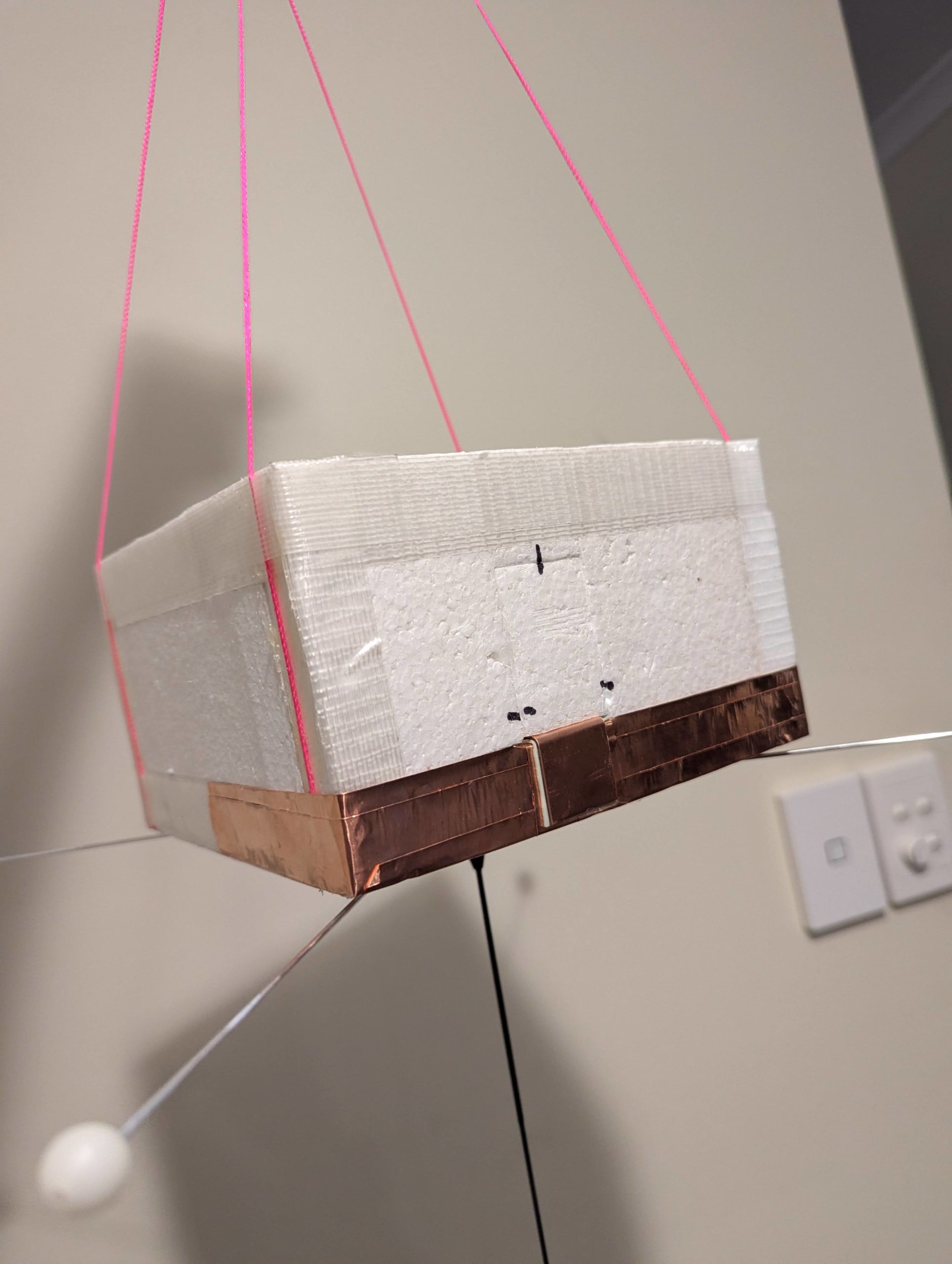
Horus 74 Flight Report

Horus 74 was launched on the 30th of August 2026, and was the long awaited re-flight of our popular cross-band amateur radio repeater! We last flew this in December 2024 with great success, and while we had intended to fly it in 2025, a launch failure kept it on the ground.

This flight also had a Wenet imagery payload trialling a new high-quality camera module, and a MeshCore payload experiment, aiming to relay text messages between South Australia, Victoria, and New South Wales.

This flight reached an altitude of 35210m, and was recovered in a paddock north of Karoonda. All the payloads performed well, with many contacts on the crossband repeater, amazing photos from the Wenet payload, and packets relayed interstate via MeshCore!

Launch, Chase & Recovery

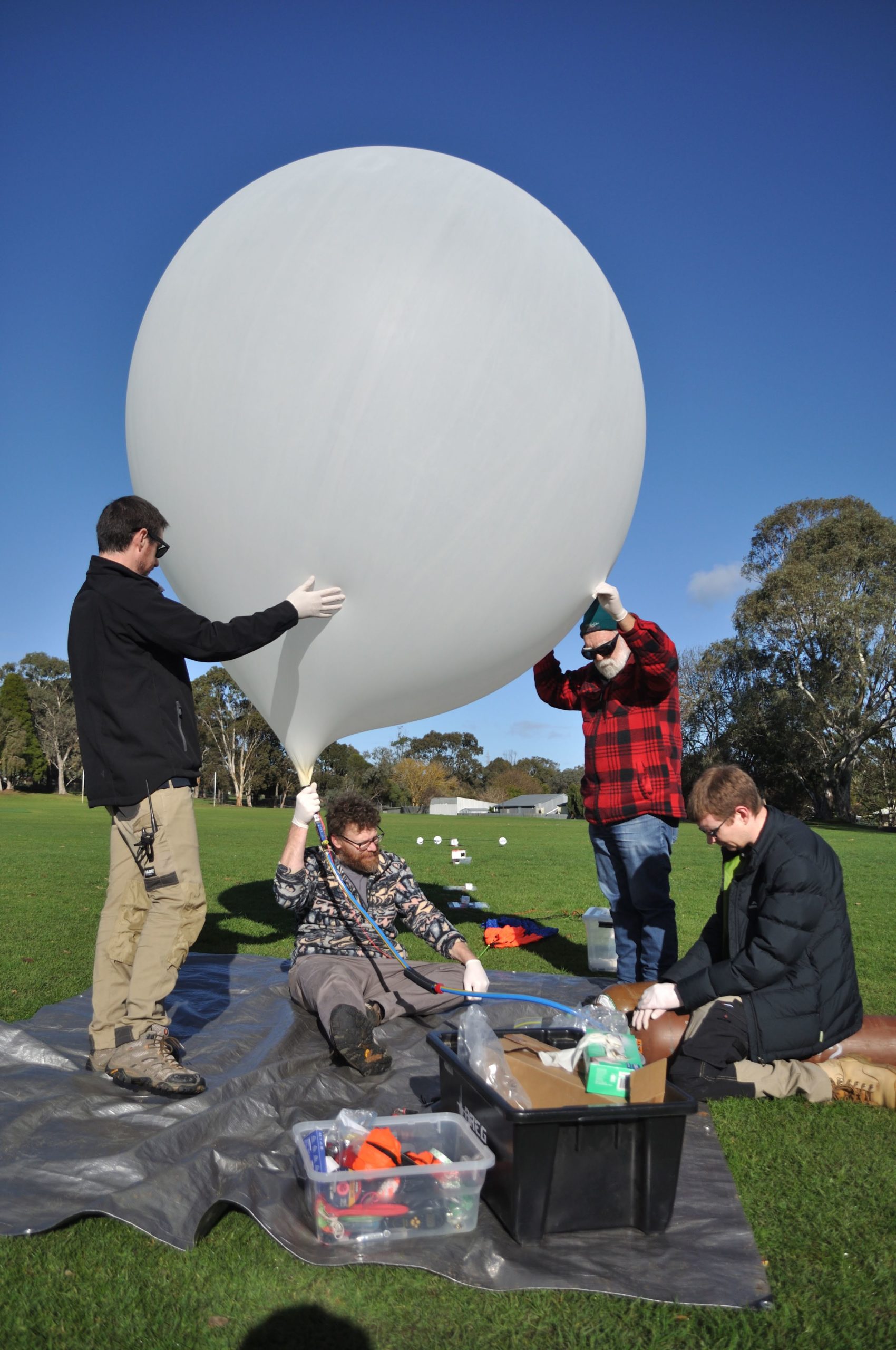
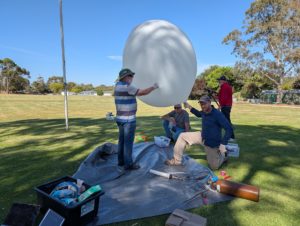
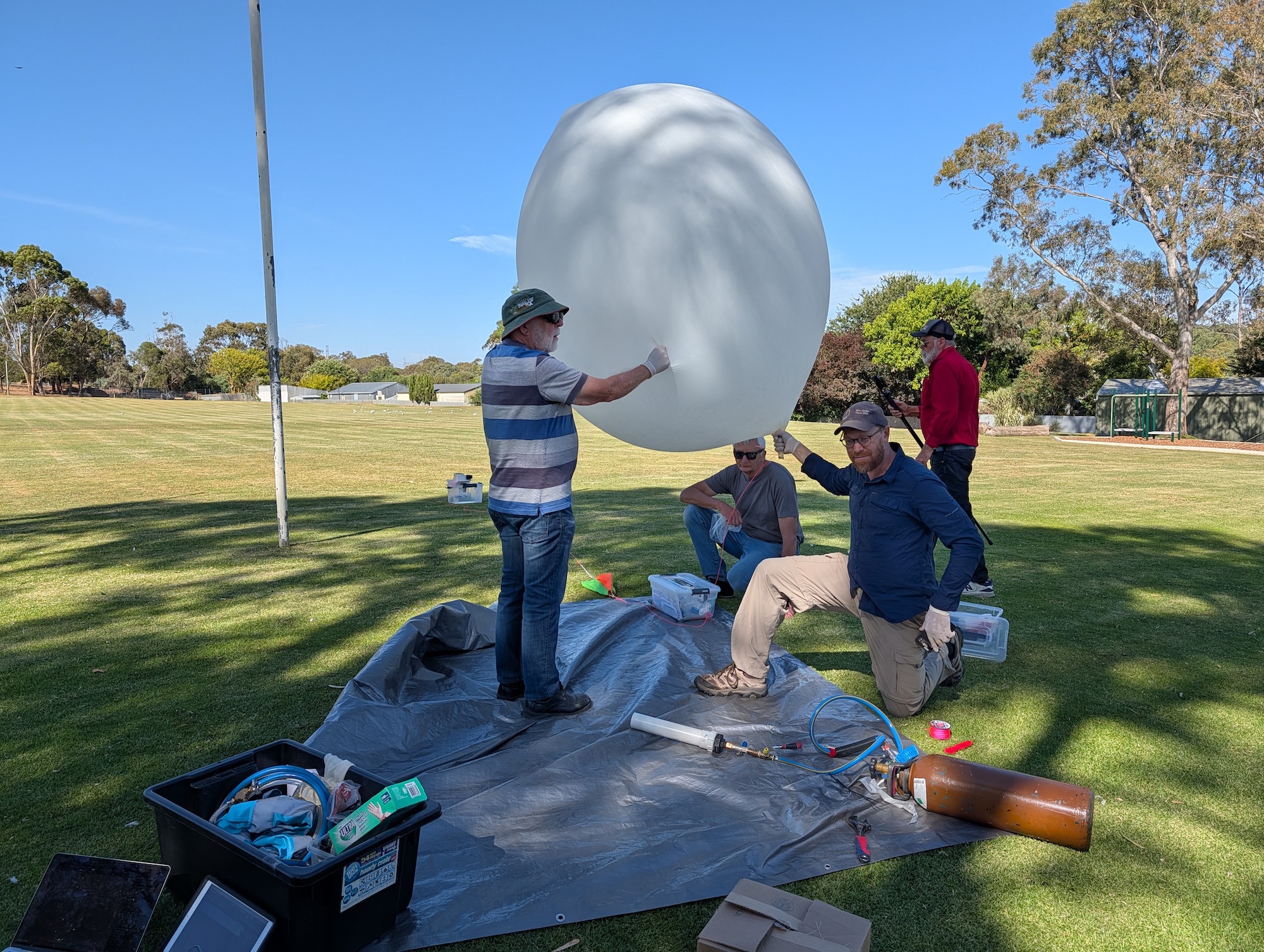
Weather at the Mt Barker launch site was pretty much perfect. Clear skies, lots of helping hands and almost no wind made filling the Hwoyee 1600g balloon easy. It was great to see a few new faces at the launch site too!

The launch itself headed almost straight up, with the flight hovering around the Mt Barker area for quite some time, resulting in some excellent photos, as seen later in this post.
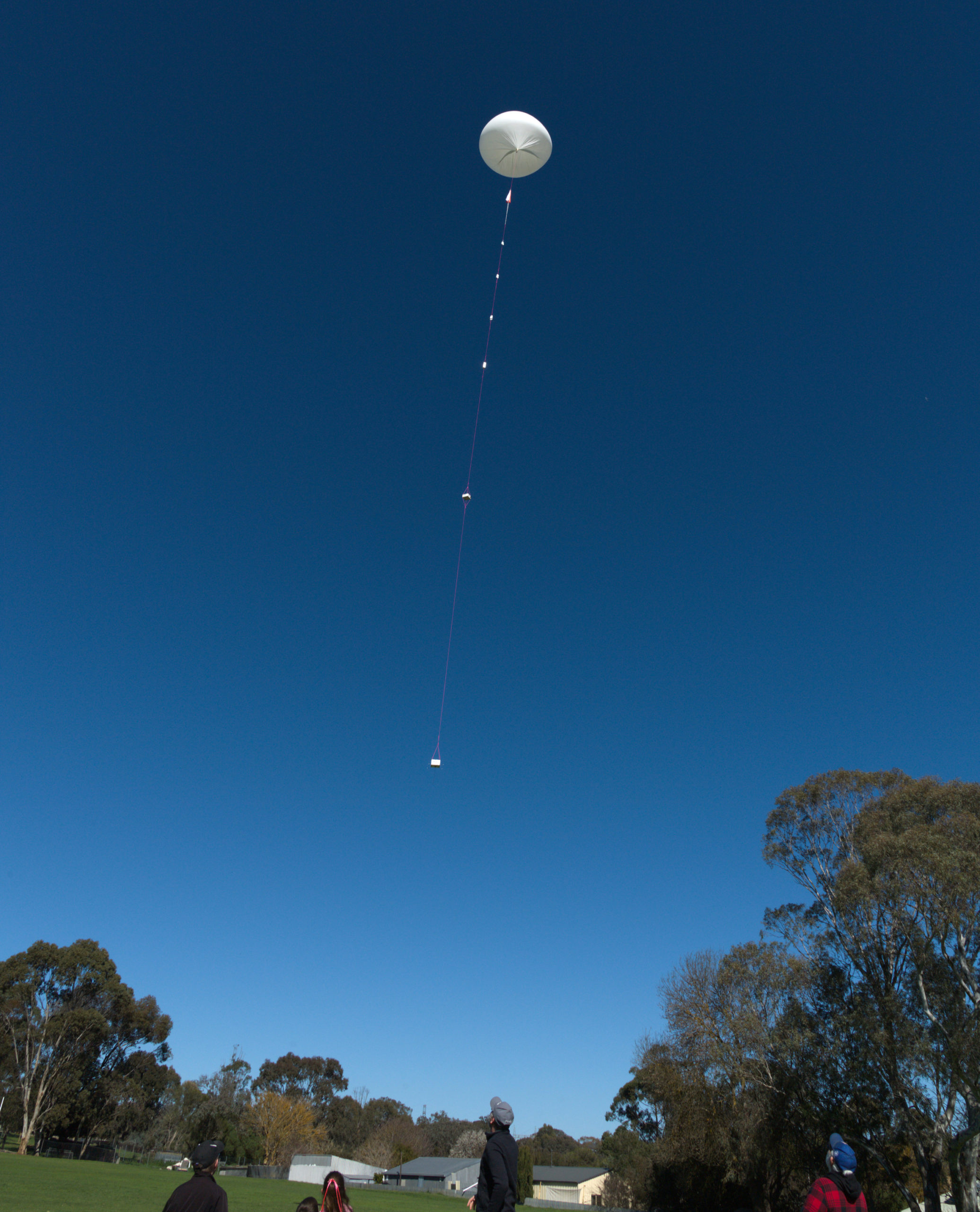
Horus 74 Launch!

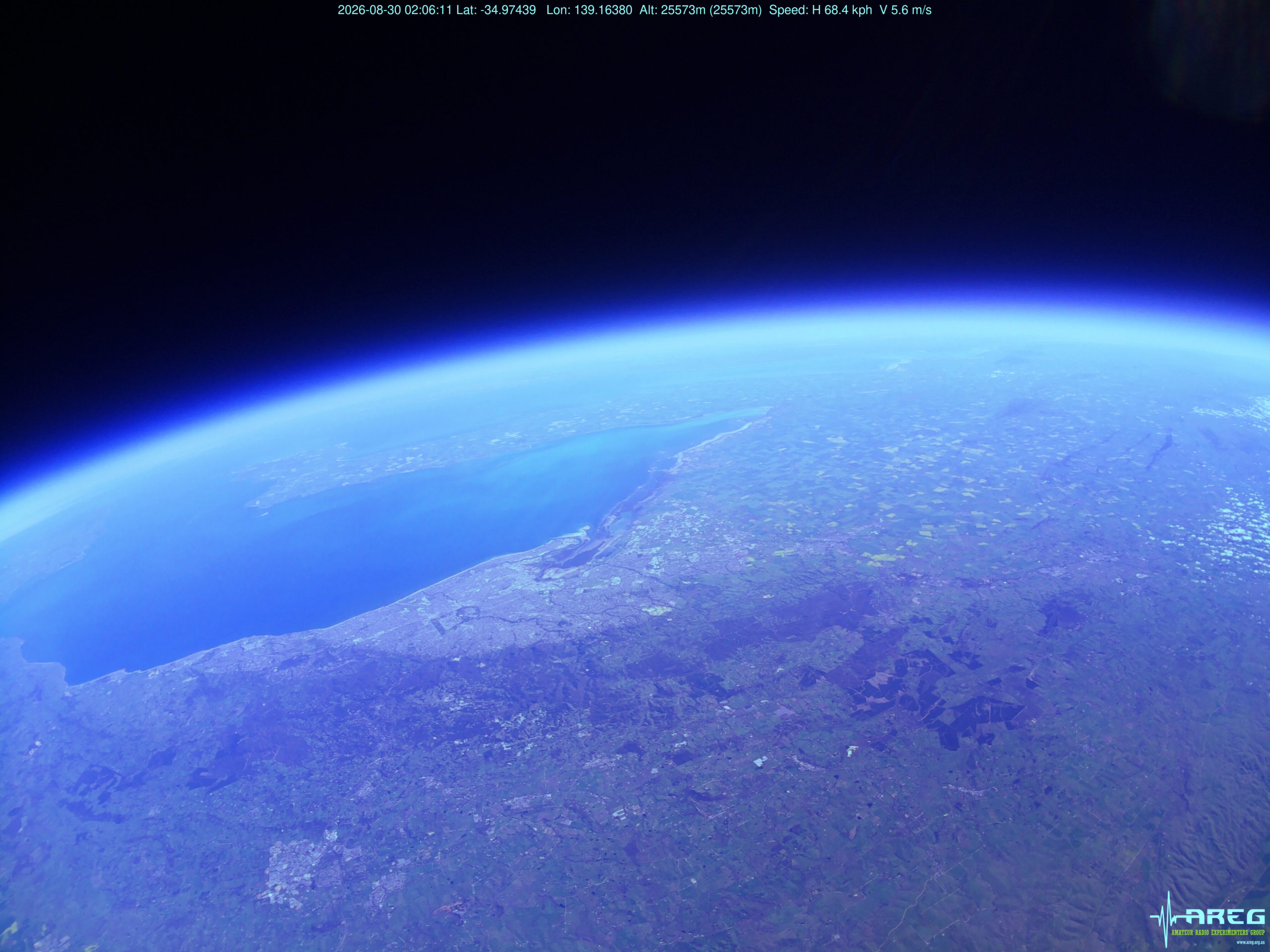
Just after launch the cross-band repeater came into range of net control VK5ARG (run by Grant VK5GR), and the contacts begun. We also started to see some excellent imagery from the Wenet camera, with some great photos of Adelaide captured not long after launch.

The chase teams (Liam VK5ALG, Mark VK5QI, Will VK5AHV and Peter VK5APR) headed off towards Karoonda to recover the payload. The burst altitude was expected to be around 32km, but the Hwoyee balloon outperformed like normal and ended up bursting at 35210m. The descent rate was quite high on the way down, giving the teams some concern – this ended up being due to almost half of the balloon latex getting tangled up in the parachute!

The chase teams were able to navigate their way to near the landing area (after getting permission from the landowner), but ran out of track in the middle of a wheat field and had to walk about 800m to the landing site. The wheat crop was almost waist height, and radio-direction-finding equipment was needed to locate the payloads, which were essentially invisible until standing on top of them!

Thankfully the wheat crop gave the payloads a soft landing. Apart from a few bent antennas, the payloads ended up being in pretty good condition, and will be re-usable with some minor repairs.
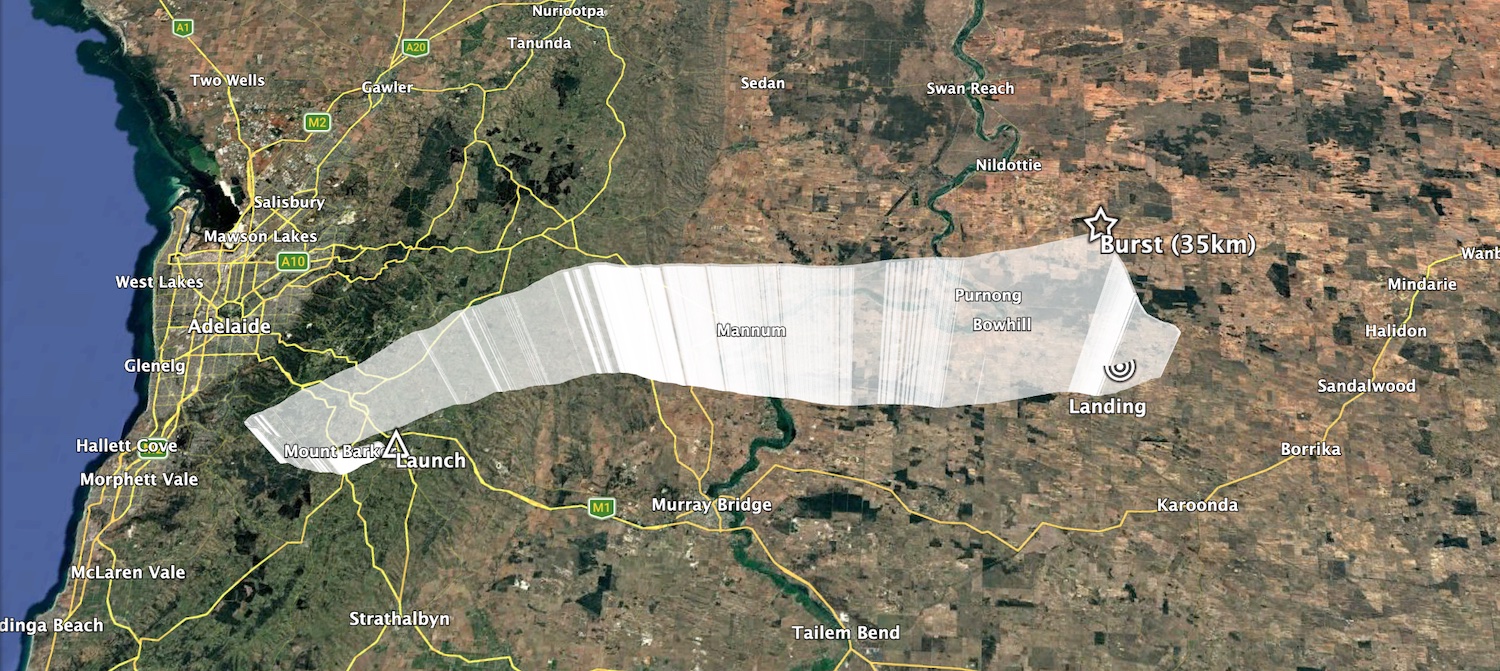
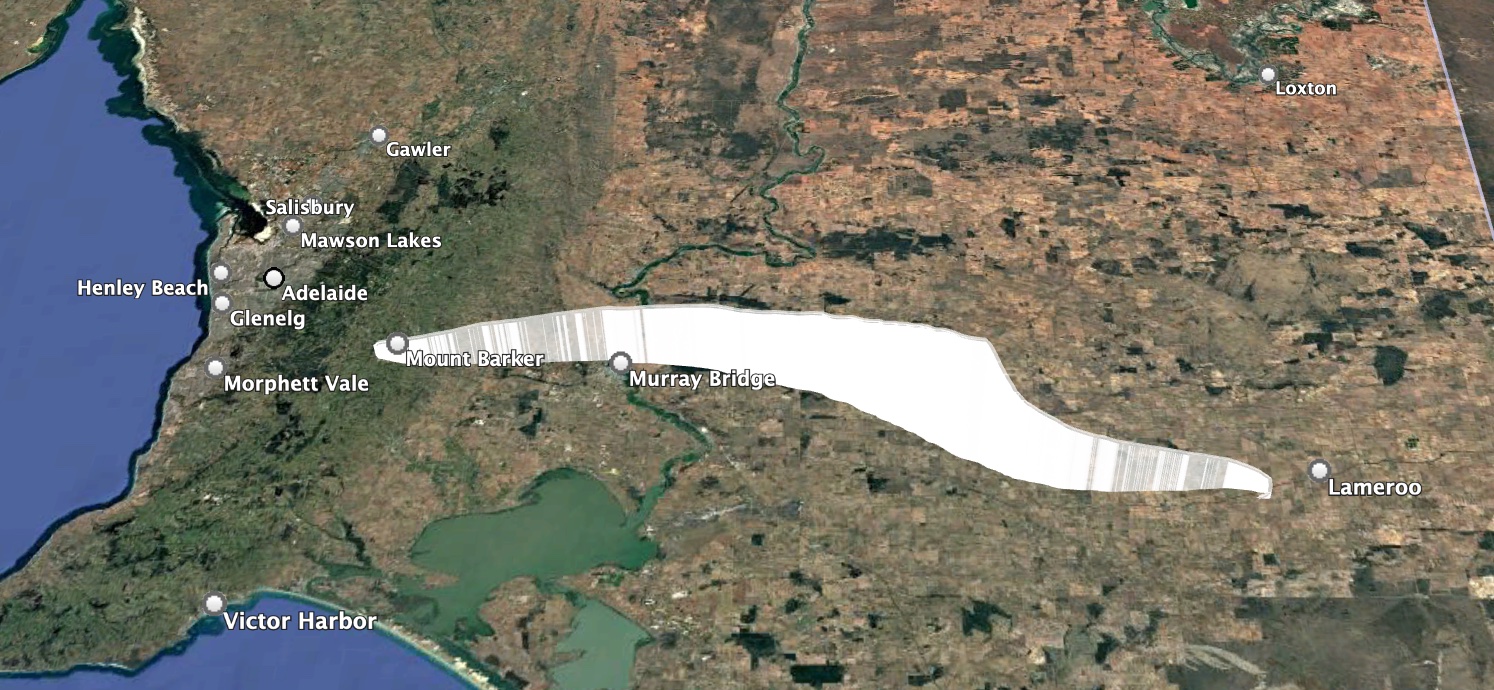
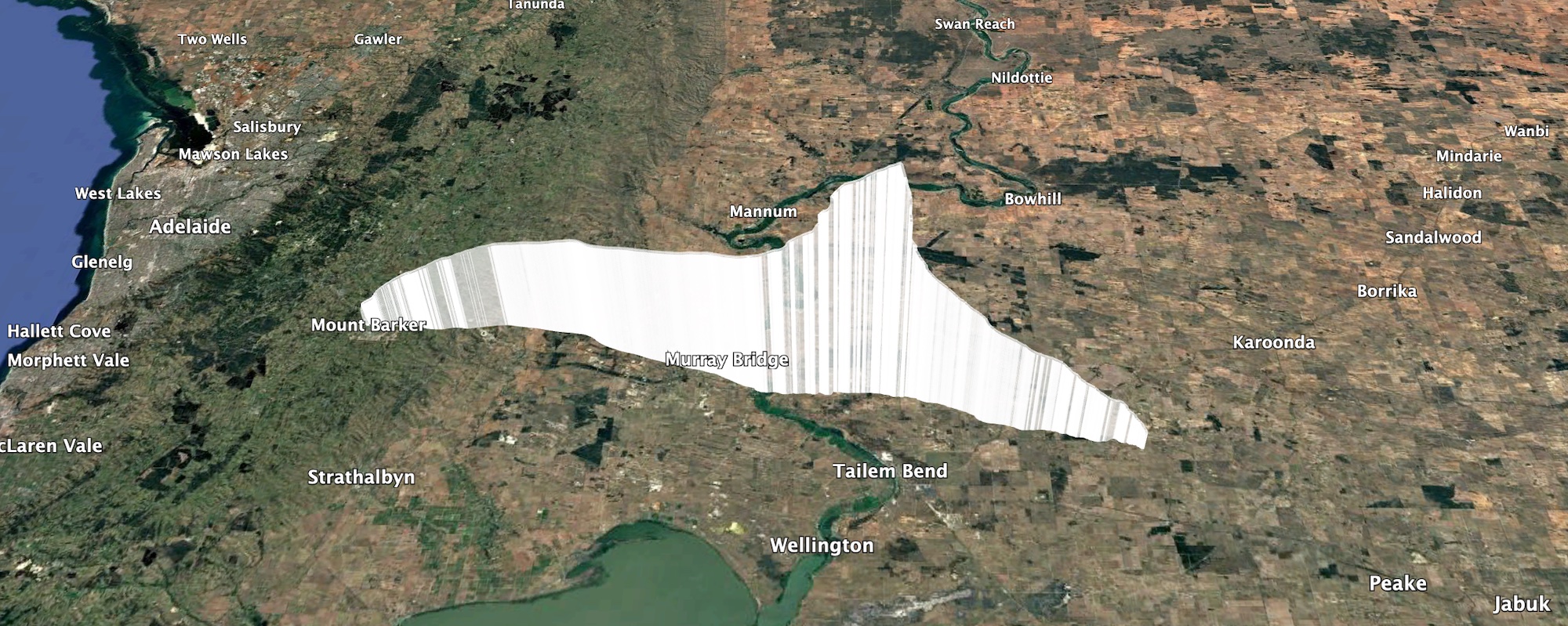
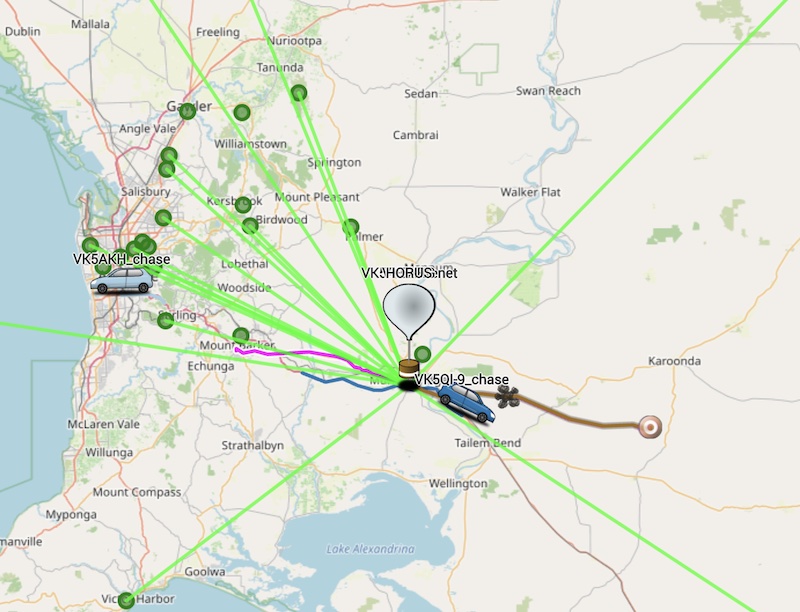
Horus 74 Flight Path

Horus 74 Flight Statistics

Launch Date:2026-08-30T00:48:41Z
Landing Date:2026-08-30T02:55:53Z
Launch Site:-35.07579, 138.85710
Landing Site:-34.94745, 139.80022
Distance Travelled:87 km
Maximum Altitude:35210 m

Crossband Repeater Contacts

The cross band repeater was run part time as a controlled net, but was also left open for general communications for part of the flight as well. Net control, manned from a site near the bear rock look-out on the eastern side of the Mt Lofty Ranges, netted 89 QSOs with stations as far away as Warragul in Victoria’s Gippsland district east of Melbourne. Once the repeater coverage reached Melbourne, we had contacts with a number of amateurs from across the Melbourne metropolitan area as well as all across western Victoria, including Hamilton, Bendigo and Mildura. Overall, this was one of the more successful flights for the voice repeater – thanks to everyone who called us.
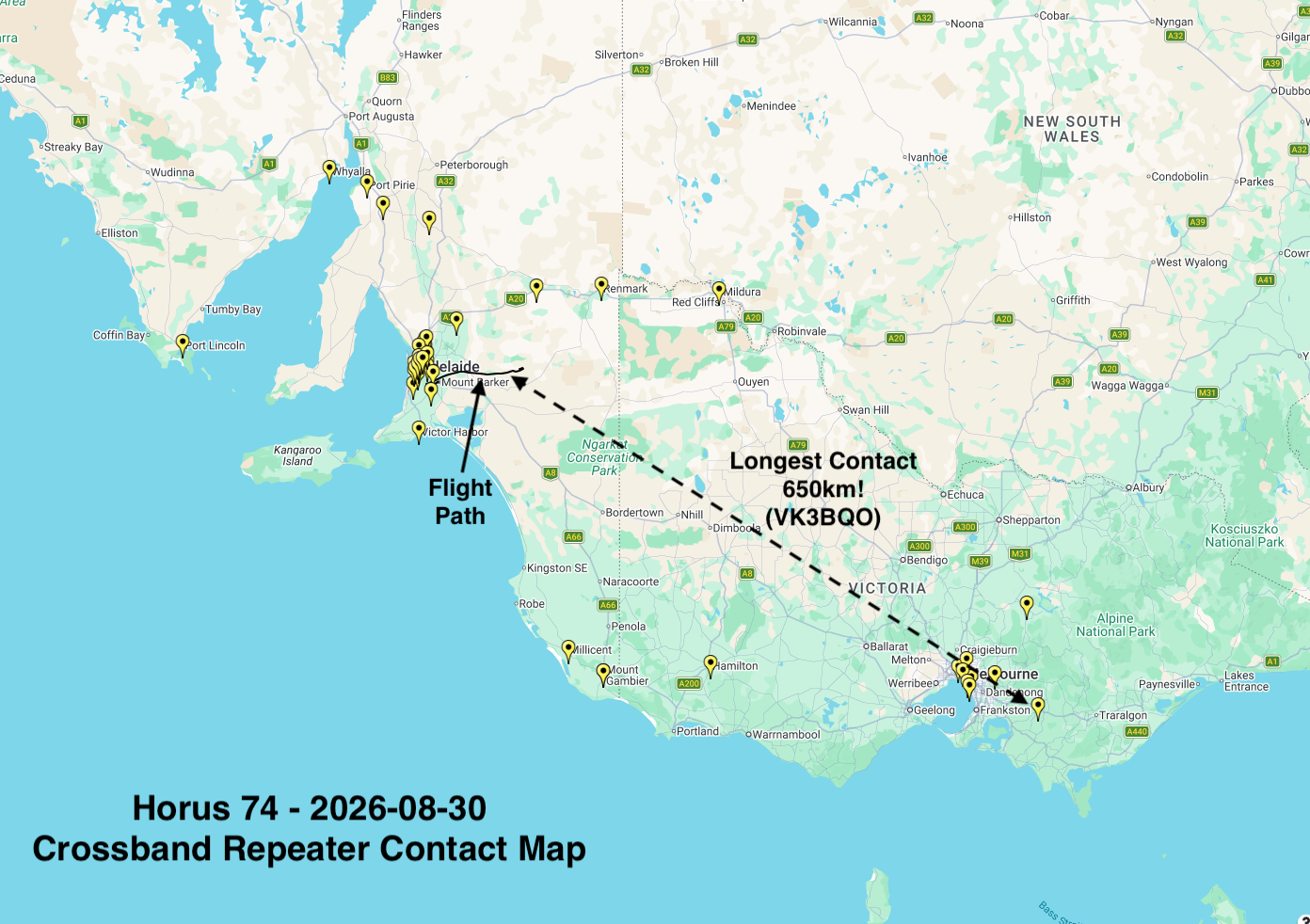
Horus 74 Crossband Repeater Contacts

Wenet Imagery Results

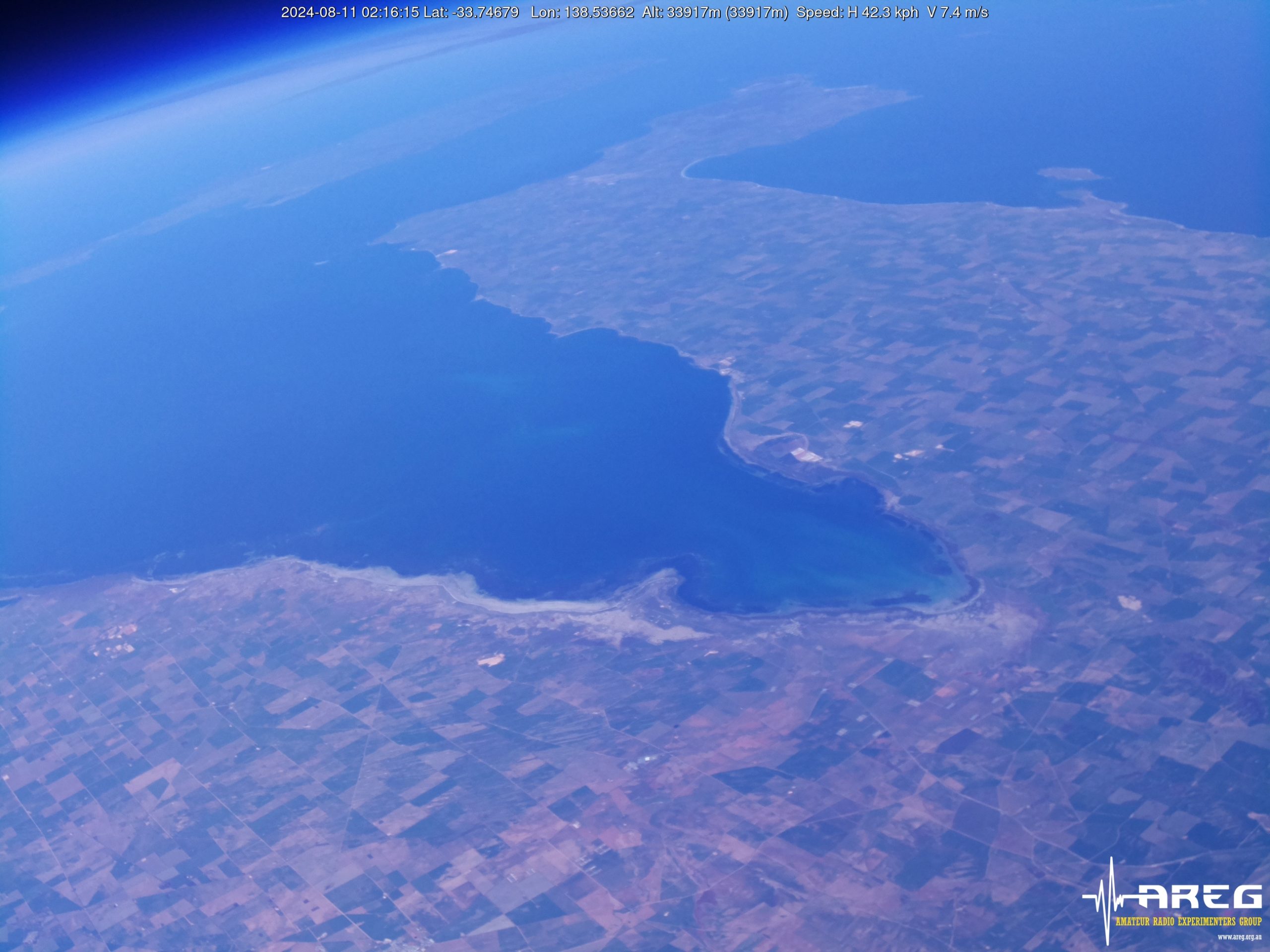
This flight flew a new camera module from Arducam, which uses the same IMX477 sensor in the PiCam HQ that we flew on Horus 72. As expected it produced incredible images, helped by the somewhat abnormal flight path that saw the balloon ascend up to nearly 20km while hovering over the Mt Barker area. As a result, we think these are some of the best images captured on a Horus flight to-date!

There’s still some work to do with white-balance correction – the camera was set into a fixed white balance mode that didn’t quite work throughout the flight. Future launches will experiment with alternative white balance settings, and will also save raw sensor data for better post-processing ability.

Thanks to the following stations who contributed imagery packets throughout the flight!

  • VK5KX-9: 229739 packets (56.09 MB)
  • VK5ZAP: 23198 packets (5.66 MB)
  • VK5QI-9: 187434 packets (45.76 MB)
  • VK5IS: 160412 packets (39.16 MB)
  • VK5ALG-9: 139102 packets (33.96 MB)
  • VK5ZM: 85363 packets (20.84 MB)


Meshcore Payload

Liam VK5ALG provides the following report on the MeshCore payload:
For Horus 74, I chose the RAK Wireless RAK4631 Nordic nRF52840 WisBlock Core Module, installed onto a RAK19003 Base Board alongside a RAK12500 WisBlock u-blox ZOE-M8Q GPS Module. I previously had success with other versions of 915MHz RAK Wireless boards on earlier Horus flights, such as the 585km point-to-point transmission using The Things Network on Horus 55. The RAK4631 can also transmit battery, temperature, and position telemetry, and it was able to be powered directly by the 3 x AAA lithium battery setup.
The objective of the experiment on Horus 74 was to test this iteration of the MeshCore payload and attempt to join the VK3 MeshCore network for QSO’s from the balloon payload via the VK3 mesh network. To achieve this, the SA-HorusHAB-VK5ALG-RP payload was configured on the Australia (Narrow) preset in repeater mode.
The SA-HorusHAB-VK5ALG-RP payload remained functional for the majority of the flight. I have already received a reception report from VK2WTF in Broken Hill, who received VK5VTX, VK5MS, and VK5DFY via the balloon repeater node. I am currently working on verifying this data.
Unfortunately, the online packet analytics tools are not currently providing the specific information I need. As a result, I will be setting up a local packet analytics system for future flights. I am also looking into increasing the payload battery power capacity.


Telemetry Reception Results

We had a great showing of stations receiving the two Horus Binary telemetry payloads, including quite a few interstate stations – thanks to everyone that contributed!

HORUS Receivers: BARC_RRR, Gum, VK3APJ, VK3BQ, VK3TAP, VK5AI, VK5ALG, VK5APR, VK5APR-9, VK5ARG, VK5AV, VK5BD, VK5BRL, VK5COL, VK5CV, VK5DC, VK5DLW, VK5FD, VK5GAC, VK5GY, VK5HW, VK5JPH, VK5KX, VK5KX-9, VK5KX-i5, VK5LN, VK5NEX, VK5OCD, VK5PJ, VK5QI-9, VK5RM, VK5SFA/R, VK5TRM, VK5TUX, VK5ZAP, VK5ZAR, VK5ZBI, VK5ZM, VK5ZMD, VK5ZTS, oakden_horus, vk3vcl, vk5is

VK5ARG Receivers: BARC_RRR, VK3APJ, VK3BQ, VK5AKK, VK5ALG, VK5ALG-9, VK5APR, VK5APR-9, VK5ARG, VK5BRL, VK5COL, VK5DJ, VK5GAC, VK5KX-9, VK5MAS, VK5OCD, VK5QI-9, VK5ZAP, VK5ZM, VK5ZMD, VK5ZT, VK5ZTS VK5RK, vk5mhz

The longest reception was by VK3TAP, at 647 km range, while the payloads were at 28.6km altitude.

Dashboards for the two payloads are available at the links below:

Upcoming activities

Our next launch is planned for the 4th of October, and will feature our FM-SSTV payload, along with a high power Wenet imagery payload. You can find out more about this launch here: https://www.areg.org.au/archives/213023

We’re also expecting launches in November and possibly December – stay tuned for more details on these!

Next Project Horus Launch – Horus 75 – 4th October 2026 – SSTV & QRO Wenet

Featured

AREG’s High-Altitude Ballooning sub-group, Project Horus, is planning their next launch for Sunday the 4th of October, with a planned launch time of 10AM ACDST. If we have to scrub due to poor weather, the backup launch date will be the 11th of October.

This flight will see a return of our FM-SSTV imagery payload, sending PD120 images on the 2m band, and also a new high-power Wenet imagery payload! This will be a great opportunity for those wanting to try out receiving the Wenet payload, but that might not have the larger antennas normally required. See further below for more information on how to get setup to receive these payloads.

Payload Frequencies

  • FM SSTV (PD120) on 145.100 MHz
  • Wenet Imagery on 443.5 MHz. (Running 1W transmit power!)
  • Primary Horus Binary telemetry on 434.200 MHz
  • Backup Horus Binary payload on 434.210 MHz

NOTE: There may be a balloon launch from Ararat, Victoria, by Monash University, also running Horus Binary on 434.200 MHz. This is expected to launch around midday ACDST. Listeners are encouraged to keep their receivers running to see if they can hear this flight!

Tracking Links

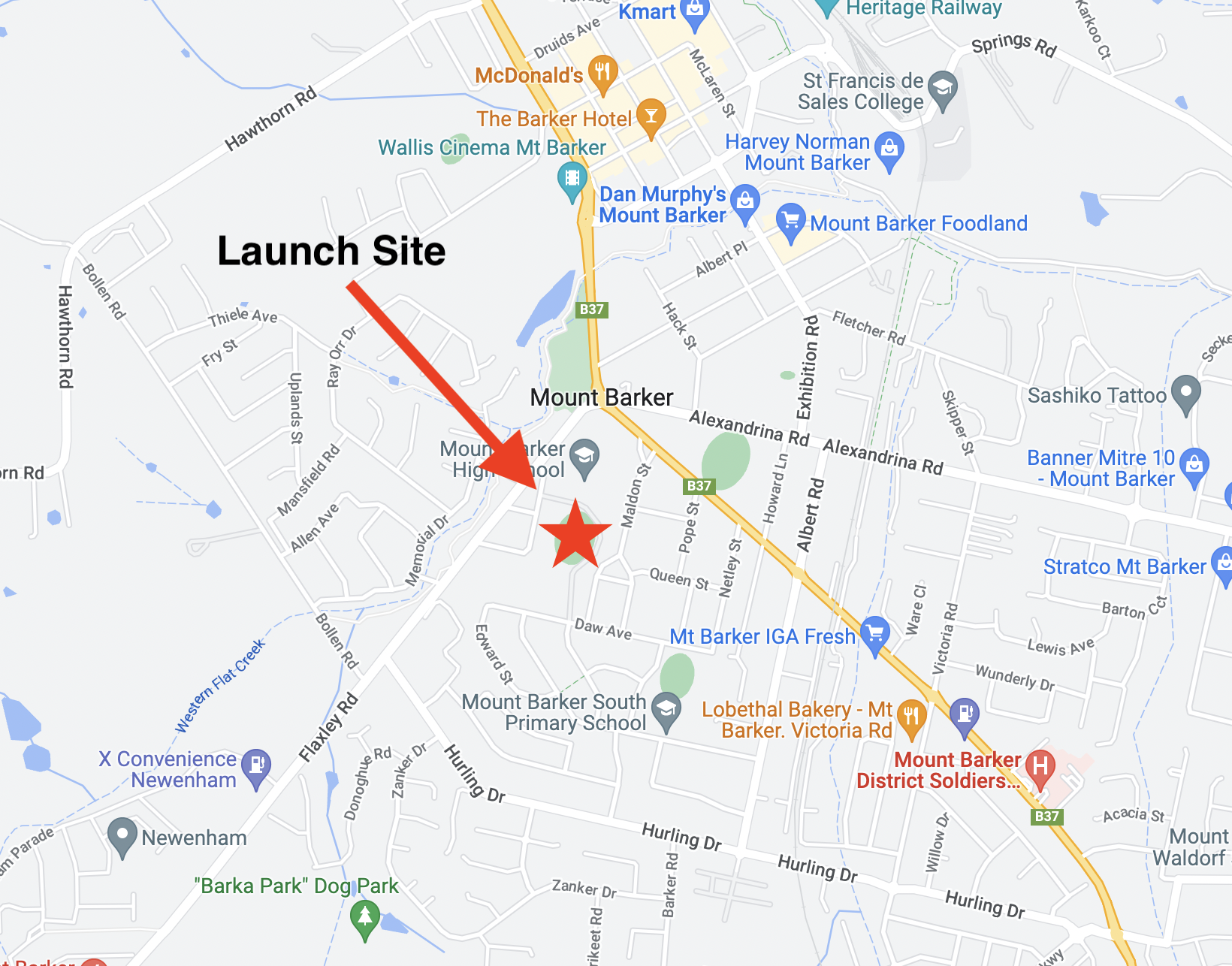
This launch is currently planned to be performed from the Mt Barker High School Oval with the launch team arriving on site from around 9:15 AM. Note that access to the oval is via Stephenson street, and parking near the oval is extremely limited.

FM SSTV Imagery – 145.100 MHz

This launch will most likely be flying a FM SSTV transmitter operating on 145.100 MHz FM. It will run approximately 200mW transmit power. The transmitter will have 1 minute gaps between image transmissions to avoid overheating the transmitter. This payload last flew on Horus 60 with good results.

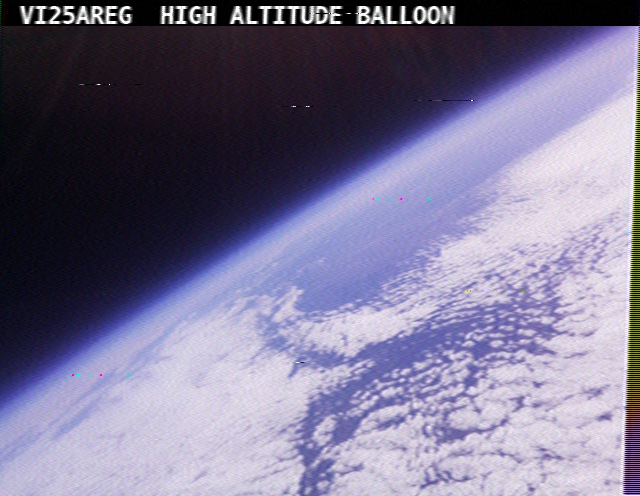
SSTV Image from Horus 60

The payload will be transmitting images using the PD120 SSTV mode throughout the flight, and can be decoded using any SSTV software capable of decoding this mode (pretty much all of them!). This mode is what was commonly broadcast from the International Space Station.

Examples of suitable software you can use to decode the SSTV pictures include:

Any FM receiver (including handhelds) should be capable of receiving this payload, though a Yagi antenna may be necessary for reliable reception at the edges of the transmitter footprint.

Wenet Imagery – 443.500 MHz – High Power Payload!

Imagery on this flight will be transmitted via the Wenet downlink system, which uses 96 kbit/s Frequency-Shift-Keying to send HD snapshots.

This flight be running with 20x more power than our usual Wenet payloads, so should be much easier to receive by small stations! If you have a RTLSDR and a 70cm antenna, have a go at receiving some of our HD-quality images!

Wenet can now be received on almost any modern computer, and even some newer android devices, using the new WebWenet software! This operates entirely within a web browser. Information on how to get setup to use this is available here: https://www.youtube.com/watch?v=Euo4BGB6wUU

Wenet image of Adelaide from Horus 74

Click this link to start up a browser-based receiver:

Wenet Web Receiver – 443.5 MHz

Windows users will need to install the ‘WinUSB’ driver, with information how to do this available here.

We encourage new listeners to try out the WebWenet software for decoding signals on this flight – however you can also still receive the signal using the Linux-based decoder, with details on this available here:

https://github.com/projecthorus/wenet/wiki/Wenet-RX-Instructions-(Linux-using-Docker)

During the flight, the live imagery will be available at this link: http://ssdv.habhub.org/

Primary Telemetry – Horus Binary v3 – 434.200 MHz – “HORUS”

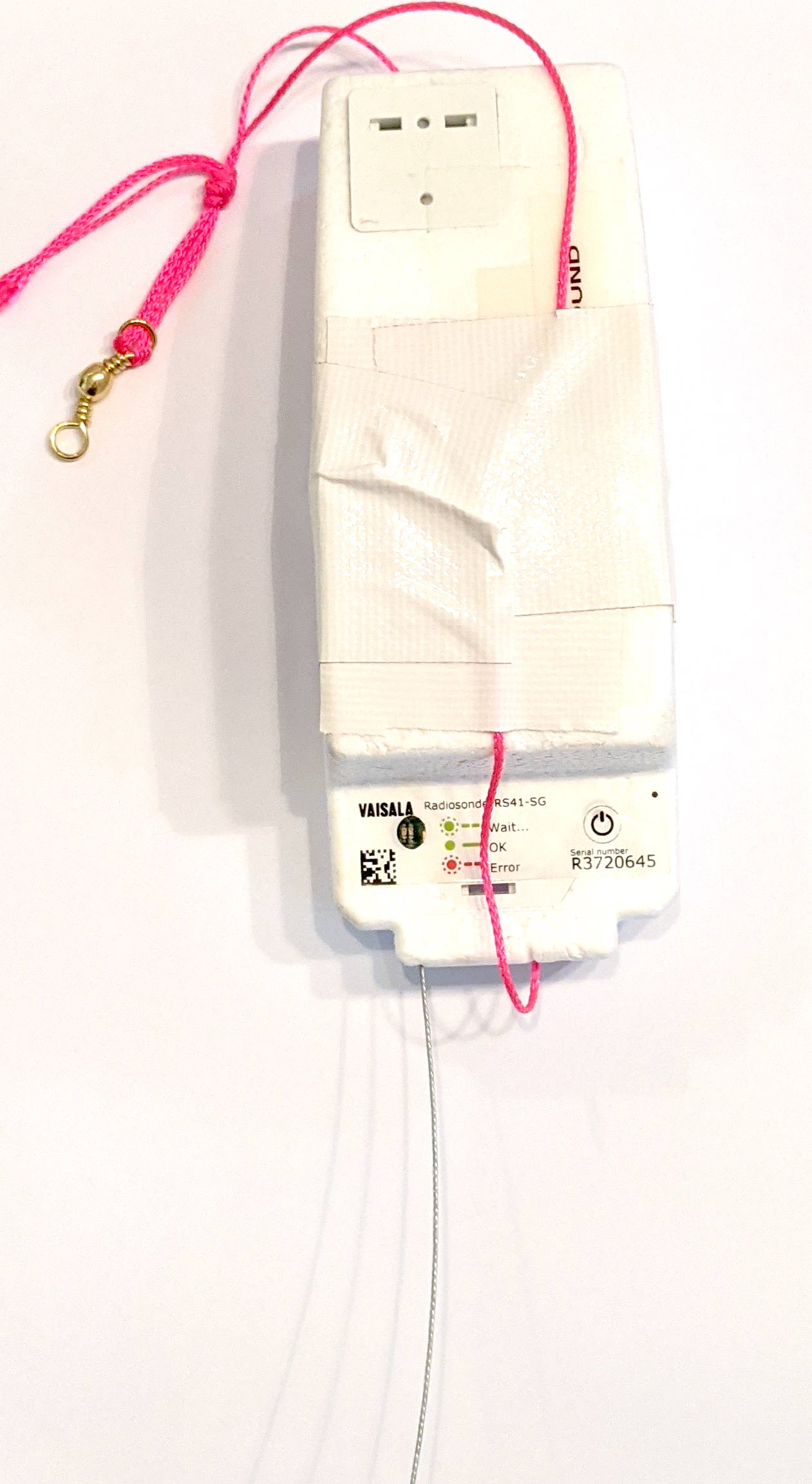
Reprogrammed RS41The primary tracking telemetry will be transmitted on 434.200 MHz using the Horus Binary v3 4FSK data mode.

To receive telemetry, you’ll need either a SSB-capable 70cm receiver (think IC-7100/705/9700, FT-817, etc), or a SDR (e.g. RTLSDR or AirSpy), and some kind of 70cm antenna. Horus Binary is very robust, so it doesn’t take much antenna to receive this telemetry – a small vertical will work just fine!

Our decoding software is available for a range of platforms:

  • Windows / Mac – Horus-GUI – If you’re running Windows or a newer Mac, you can use our ‘Horus-GUI’ telemetry decoder software! Make sure you are on v0.6.0 or newer to decode the Horus Binary v3 telemetry. We have a detailed guide on setting this up, which is available by clicking here!
  • Windows / Mac / Linux / Android / iPhone – WebHorus – On almost any platform (including many mobile phones!) you can also decode the Horus Binary telemetry in a web browser using either audio input, or a RTLSDR (Android / Chrome only) by clicking this link! 
  • Raspberry Pi / Linux – If you have a spare RTLSDR and a Raspberry Pi (or other linux machine), you can set up a dedicated Horus Binary receiving station by following this guide.

Amateurs in the Adelaide and Central SA region are encouraged to get involved with the flight through receiving and uploading flight telemetry from our 70cm band tracking beacons. Every piece of telemetry data is valuable to the flight tracking and recovery teams so if you can help join the distributed receiver network to collect that data you will be making an important contribution to the project!

Backup Telemetry – Horus Binary 434.210 MHz – VK5ARG

A backup tracking payload will be transmitting on 434.210 MHz also using the Horus Binary 4FSK data mode, and can be received in the same way as the primary tracking payload, with information above. For this payload you will need to use a USB ‘dial’ frequency of 434.209 MHz.

Click this link to start up a browser-based receiver:

WebHorus – 434.210 MHz

Next Project Horus Launch – Horus 74 – 30th August 2026 – Cross-band Repeater – Mt Barker Launch!

AREG’s High-Altitude Ballooning sub-group, Project Horus, is planning their next launch for Sunday the 30th of August, with a planned launch time of 10 AM ACST. If we have to scrub due to poor weather, the backup launch date will be the 13th of September (avoiding Fathers Day).

This launch is currently planned to be performed from the Mt Barker High School Oval with the launch team arriving on site from around 9:15 AM. Note that access to the oval is via Stephenson street, and parking near the oval is extremely limited. 

TRACKING LINKS

This flight will feature our cross-band repeater payload, enabling amateur radio operators around the state to communicate via the balloon! We’ll also have our usual Wenet imagery payload along for the ride.

On this flight we will also be running a MeshCore experiment provided by Liam VK5ALG. This consists of a MeshCore repeater, using the “Australia (Narrow)” Settings (NOTE: This is not the standard South Australian settings!). Please check the end of this post for information how to configure your node for this flight!

  • FM Crossband Repeater: 145.075 MHz Input (91.5 Hz CTCSS), 438.975 MHz output.
  • Wenet Imagery on 443.5 MHz.
  • Primary Horus Binary telemetry on 434.200 MHz
  • Backup Horus Binary payload, on 434.210 MHz
  • MeshCore Experiment – 916.575 MHz, Australia (Narrow) Preset

FM Cross-band Repeater Payload

This is the first test flight of a new experimental FM cross band voice repeater based around a Yaesu FT-530 handheld transceiver.The balloon repeater should be heard on:

  • INPUT: 145.075MHz with 91.5Hz CTCSS
  • OUTPUT: 438.975MHz  – 0.5W into 1/2-wave omni

Please note that this repeater is experimental, and may have performance issues or even fail completely during the flight!

To transmit to the balloon at the maximum range of 800km (once the balloon reaches 100,000ft ++) you should only need approximately 10-20W and an 2-4dB gain antenna.

Receiving the balloon at 400km range in a handheld environment should be achievable, but to hear the repeater at the maximum range of 800km you should expect to need a 10dB gain Yagi for a 0.4uV capable receiver and 2dB feeder loss

This setup is much the same as the LEO satellites but without the doppler shift.

PLEASE MAKE SURE YOU CAN HEAR IT BEFORE YOU TRANSMIT!

This repeater will be operated as a controlled net, with the net control callsign VK5ARG – please listen out for net control before calling!

We will be offering QSL cards to stations that make a contact with net control during the flight, so get your stations setup and give it a go!

Primary Telemetry – Horus Binary v3 – 434.200 MHz – “HORUS”

Reprogrammed RS41The primary tracking telemetry will be transmitted on 434.200 MHz using the new Horus Binary v3 4FSK data mode.

To receive telemetry, you’ll need either a SSB-capable 70cm receiver (think IC-7100/705/9700, FT-817, etc), or a SDR (e.g. RTLSDR or AirSpy), and some kind of 70cm antenna. Horus Binary is very robust, so it doesn’t take much antenna to receive this telemetry – a small vertical will work just fine!

Our decoding software is available for a range of platforms:

  • Windows / Mac – Horus-GUI – If you’re running Windows or a newer Mac, you can use our ‘Horus-GUI’ telemetry decoder software! Make sure you are on v0.6.0 or newer to decode the Horus Binary v3 telemetry. We have a detailed guide on setting this up, which is available by clicking here!
  • Windows / Mac / Linux / Android / iPhone – WebHorus – On almost any platform (including many mobile phones!) you can also decode the Horus Binary telemetry in a web browser using either audio input, or a RTLSDR (Android / Chrome only) by clicking this link! 
  • Raspberry Pi / Linux – If you have a spare RTLSDR and a Raspberry Pi (or other linux machine), you can set up a dedicated Horus Binary receiving station by following this guide.

Amateurs in the Adelaide and Central SA region are encouraged to get involved with the flight through receiving and uploading flight telemetry from our 70cm band tracking beacons. Every piece of telemetry data is valuable to the flight tracking and recovery teams so if you can help join the distributed receiver network to collect that data you will be making an important contribution to the project!

Backup Telemetry – Horus Binary 434.210 MHz – VK5ARG

A backup tracking payload will be transmitting on 434.210 MHz also using the Horus Binary 4FSK data mode, and can be received in the same way as the primary tracking payload, with information above. For this payload you will need to use a USB ‘dial’ frequency of 434.209 MHz.

Click this link to start up a browser-based receiver:

WebHorus – 434.210 MHz

Wenet Imagery – 443.500 MHz

Imagery on this flight will be transmitted via the Wenet downlink system, which uses 96 kbit/s Frequency-Shift-Keying to send HD snapshots. Reception of the Wenet imagery requires a RTLSDR, and a 70cm antenna with some gain (a 5-element Yagi is usually enough).

We will be using the new ‘Wenet v2’ mode. There is information on updating existing Wenet receive setups available here.

Wenet can now be received on almost any modern computer, and even some newer android devices, using the new WebWenet software! This operates entirely within a web browser. Information on how to get setup to use this is available here: https://www.youtube.com/watch?v=Euo4BGB6wUU

Click this link to start up a browser-based receiver:

Wenet Web Receiver – 443.5 MHz

Wenet imagery from Horus 62

We encourage new listeners to try out the WebWenet software for decoding signals on this flight – however you can also still receive the signal using the Linux-based decoder, with details on this available here:

https://github.com/projecthorus/wenet/wiki/Wenet-RX-Instructions-(Linux-using-Docker)

During the flight, the live imagery will be available at this link: http://ssdv.habhub.org/

MeshCore Repeater Payload – “SA-HorusHAB-VK5ALG-RP”

This flight will include a MeshCore repeater payload operating using the “Australia (Narrow)” settings. This should allow relaying of messages from the Victorian MeshCore network into South Australia. This payload does not have an onboard GNSS receiver, so will not be beaconing a valid position.

To communicate via this payload, you will need to configure your MeshCore node as follows:

  • Radio Settings -> Selected Preset -> “Australia (Narrow)”
    • For reference, the Australia (Narrow) preset uses the following Settings:
      • Frequency: 916.575 MHz
      • Bandwidth: 62.5 kHz
      • Spreading Factor: 7
      • Coding Rate: 8
  • Experimental Settings -> Path Hash Size -> Default Path Hash Size -> 2-byte
  • Do not enable repeater mode on nodes in South Australia! 

Communication on MeshCore will be mostly via the Public chatroom.

Horus 72 Flight Report – CSIRO Payload

Horus 72 was a flight for CSIRO – the Commonwealth Science and Industrial Research Organisation, and launched on Sunday the 14th of June 2026.

AREG had been approached by CSIRO a few months ago seeking to trial some sensor payloads on high-altitude balloon flights, and we were happy to get involved! This flight featured a thermal imaging payload intended for use on a future high altitude platform. A big thanks to CSIRO for choosing AREG for their high-altitude balloon launch needs!

Launch

The launch site weather was fairly calm, making for each launch preparations. For this launch we tried to keep the distances between payloads fairly long to avoid ‘interactions’ after balloon burst.

Thanks to Tim Bolton from CSIRO for capturing many great photos of the launch preparations:

There was a little bit of breeze around launch time, requiring a short ‘running launch’ to avoid the CSIRO payload impacting the ground. The launch was captured on video by Autumn VK5CLD:

You can see the CSIRO payload at the bottom of the string, with the large stabilisation vanes – these appeared to work quite well, and we may use this approach on our own payloads in the future!

Chase & Recovery

After launch the chase teams quickly got moving – the flight was predicted to be heading out somewhere near Lameroo and Pinnaroo, a good 2 hours drive away.

On the chase we had:

  • Mark VK5QI, Will VK5AHV and Autumn VK5CLD
  • Andy VK5AKH and Dennis VK5DEN
  • Liam VK5ALG
  • … and following us was Josh Pease from CSIRO!

The balloon burst at 28855m, and with a somewhat higher than expected descent rate, headed in for a landing about 10k south-west of Lameroo. The chase teams were able to get into position to watch the landing:

A short walk into the paddock, the payloads were all recovered in excellent condition! Most importantly, the CSIRO payload had a nice soft landing, with the thermal camera lens undamaged!


Horus 72 Flight Statistics

Launch Date:2026-06-14T00:51:06Z
Landing Date:2026-06-14T02:59:11Z
Launch Site:-35.07579, 138.85710
Landing Site:-35.36621, 140.41932
Distance Travelled:145 km
Maximum Altitude:28855 m

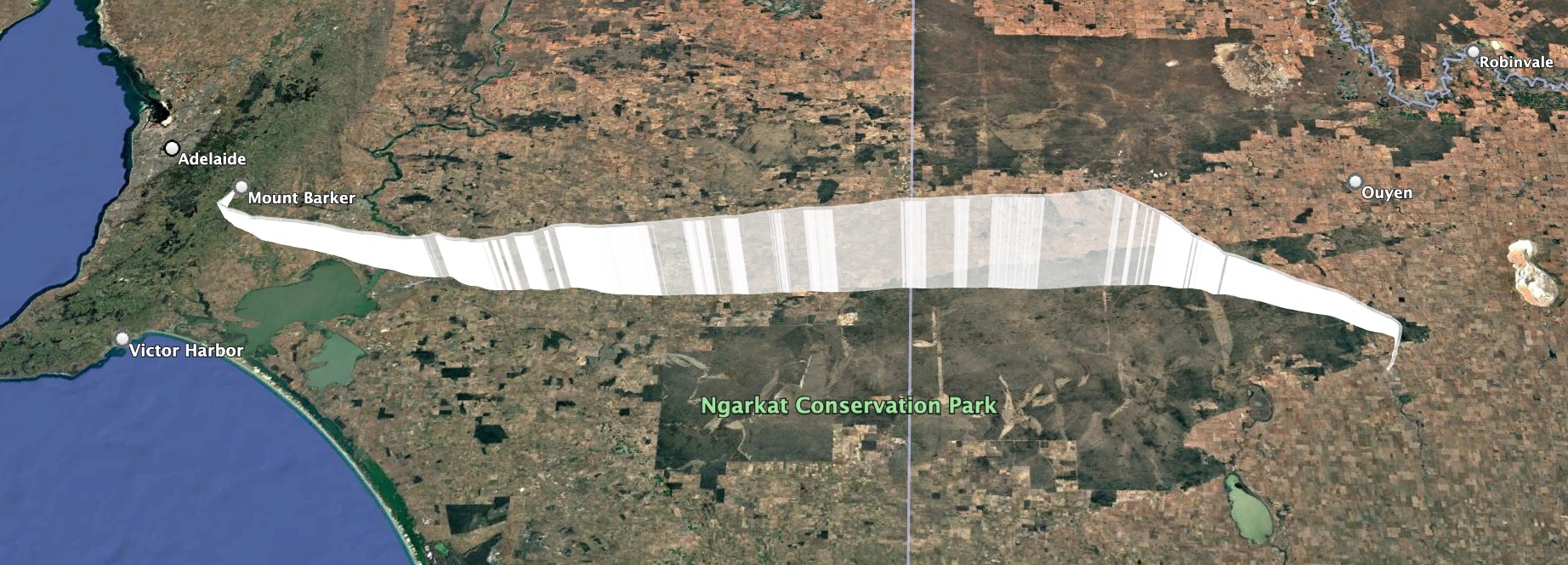
Horus 72 Flight Path

Wenet Imagery

This flight also included a test of a new Wenet payload camera – this time using a PiCameraHQ, with a M12 wide-angle lens. This payload captured nice and sharp (albeit quite fish-eyed) images all through the flight, and is looking to be a winner for future launches!

Thanks to the following stations for receiving imagery from the Wenet payload:

  • VK5ALG-9 (Mobile): 8727 packets (2.13 MB)
  • VK3TNU: 62196 packets (15.18 MB)
  • VK5AKH (Mobile): 118164 packets (28.85 MB)
  • VK5QI-9 (Mobile): 217515 packets (53.10 MB)
  • VK5KX-9: 232388 packets (56.74 MB)

A telemetry dashboard for the Wenet payload is available here: https://grafana.v2.sondehub.org/goto/lwwoTnavg?orgId=1

Horus Binary Telemetry

We had a great showing of telemetry receiving stations on this flight, with many stations helping out receiving all three of the tracking payloads:

  • HORUS – BARC_RRR, Gum, VK3BKQ, VK5AI, VK5AKH, VK5AKK-H, VK5AKK-V, VK5ALG, VK5APR, VK5APR-9, VK5ARG, VK5BRL, VK5FD, VK5GA, VK5HW, VK5JPH, VK5KX, VK5KX-9, VK5NEX, VK5OCD, VK5QI-9, VK5QI-ChaseBox, VK5SFA/R, VK5ST-991, VK5TBD, VK5TRM, VK5ZAP, VK5ZAR, VK5ZM, VK5ZMD, VK5RK, vk5cv, vk5mhz, vk5zuc, webhorus-pdgl8b
  • VK5ARG – BARC_RRR, VK5AKH, VK5ALG, VK5ALG-9, VK5APR, VK5APR-9, VK5ARG, VK5BRL, VK5CV, VK5KX-9, VK5QI-9, VK5QI-ChaseBox, VK5SFA, VK5ST-991, VK5TBD,  VK5ZM
  • HORUS-2 – BARC_RRR, VK3BKQ, VK5ALG, VK5ARG, VK5BRL, VK5KX-9, VK5QI-9, VK5ST-991, VK5ZM

The longest distance reception was by VK3BKQ, at a distance of 543 km!

Telemetry dashboards for the Horus Binary payloads are available below:

– HORUS – https://grafana.v2.sondehub.org/goto/vSVKTn-vg?orgId=1
– VK5ARG – https://grafana.v2.sondehub.org/goto/os72o7-vg?orgId=1
– HORUS-2 – https://grafana.v2.sondehub.org/goto/Q9C2o7aDg?orgId=1

Next Launches

Since this report took me a while to finish, we’ve already had one other balloon launch – Horus 73, on the 28th of June. You can find a mini-report for this flight here.

We’ll probably take a little break over Winter, as finding good launch days is quite difficult. Once we get into better weather, we expect to run the following launches:

  • Cross-Band Repeater re-flight, and more Wenet camera payload experiments.
  • Another LaunchBox launch for Fleet Space, hopefully including a 360˚ Camera.
  • Possibly another launch for CSIRO.

Stay tuned!


Horus 73 – MeshCore & Other Experimental Payloads

Quick Flight Report:

Thanks to everyone that helped launch and track today’s launch! It was a little bit breezy at the launch site, but with many hands we were able to get everything in the air.

Unfortunately the MeshCore payload on this flight wasn’t heard from after launch – we are unsure of the cause of this and will have to do some more investigations and testing before trying again later in the year.

The other Horus Binary tracking payloads performed well and were tracked by many stations around South Australia and Victoria. The flight reached a maximum altitude of 38.461km, well above the expected 30km altitude, before bursting and descending to a landing near Hopetoun, Victoria. The payloads were spotted on descent, and picked up by a local landowner!

Horus 73 Flight Path

Telemetry dashboards for the two tracking payloads are available here:

Our next Project Horus launch will probably not be until after Winter and should hopefully see the return of the Cross-Band repeater – see you then!

Launch Announcement Info (old):

Project Horus’s next launch is currently planned for Sunday the 28th of June. Launch time is planned for 10AM, with launch crew on-site around 9:15-9:30AM. MeshCore - Official Site

On this flight we will be running a MeshCore experiment provided by Liam VK5ALG. This consists of a MeshCore repeater, using the “Australia (Narrow)” Settings (NOTE: This is not the standard South Australian settings!). Please check the end of this post for information how to configure your node for this flight!

This flight will have the following tracking payloads:

  • Primary: ‘HORUS’ 434.200 MHz
  • Backup: ‘VK5ARG’ 434.210 MHz

You can find more information about how to decode this telemetry further below.

This launch is currently planned to be performed from the Mt Barker High School Oval, which is accessible from Stephenson Street, Mt Barker.

Mt Barker Launch Site

TRACKING LINKS


Primary Telemetry – Horus Binary v3 – 434.200 MHz – “HORUS”

Reprogrammed RS41The primary tracking telemetry will be transmitted on 434.200 MHz using the new Horus Binary v3 4FSK data mode.

To receive telemetry, you’ll need either a SSB-capable 70cm receiver (think IC-7100/705/9700, FT-817, etc), or a SDR (e.g. RTLSDR or AirSpy), and some kind of 70cm antenna. Horus Binary is very robust, so it doesn’t take much antenna to receive this telemetry – a small vertical will work just fine!

Our decoding software is available for a range of platforms:

  • Windows / Mac – Horus-GUI – If you’re running Windows or a newer Mac, you can use our ‘Horus-GUI’ telemetry decoder software! Make sure you are on v0.6.0 or newer to decode the Horus Binary v3 telemetry. We have a detailed guide on setting this up, which is available by clicking here!
  • Windows / Mac / Linux / Android / iPhone – WebHorus – On almost any platform (including many mobile phones!) you can also decode the Horus Binary telemetry in a web browser using either audio input, or a RTLSDR (Android / Chrome only) by clicking this link! 
  • Raspberry Pi / Linux – If you have a spare RTLSDR and a Raspberry Pi (or other linux machine), you can set up a dedicated Horus Binary receiving station by following this guide.

Amateurs in the Adelaide and Central SA region are encouraged to get involved with the flight through receiving and uploading flight telemetry from our 70cm band tracking beacons. Every piece of telemetry data is valuable to the flight tracking and recovery teams so if you can help join the distributed receiver network to collect that data you will be making an important contribution to the project!

Backup Telemetry – Horus Binary 434.210 MHz – VK5ARG

A backup tracking payload will be transmitting on 434.210 MHz also using the Horus Binary 4FSK data mode, and can be received in the same way as the primary tracking payload, with information above. For this payload you will need to use a USB ‘dial’ frequency of 434.209 MHz.

Click this link to start up a browser-based receiver:

WebHorus – 434.210 MHz

MeshCore Repeater Payload – “SA-HorusHAB-VK5ALG-RP”

This flight will include a MeshCore repeater payload operating using the “Australia (Narrow)” settings. This should allow relaying of messages from the Victorian MeshCore network into South Australia. This payload does not have an onboard GNSS receiver, so will not be beaconing a valid position.

To communicate via this payload, you will need to configure your MeshCore node as follows:

  • Radio Settings -> Selected Preset -> “Australia (Narrow)”
    • For reference, the Australia (Narrow) preset uses the following Settings:
      • Frequency: 916.575 MHz
      • Bandwidth: 62.5 kHz
      • Spreading Factor: 7
      • Coding Rate: 8
  • Experimental Settings -> Path Hash Size -> Default Path Hash Size -> 2-byte
  • Do not enable repeater mode on nodes in South Australia! 

Communication on MeshCore will be mostly via the Public chatroom.

Next Project Horus Launch – CSIRO Payload – Sunday June 14th

UPDATE: Thanks to everyone that helped track today’s flight! The launch was a huge success, with the payload reaching 28.8km and landing in a paddock near Lameroo. All payloads were recovered in good condition. Stay tuned for a writeup within the next few weeks!

Project Horus’s next launch is currently planned for Sunday the 14th of June, with a backup date the following weekend. Launch time is planned for 10AM, with launch crew on-site around 9:15AM. This flight will be for CSIRO, flying a thermal imaging payload.
This flight is very dependent on low cloud-cover conditions. It may be cancelled and re-scheduled at late notice. 

This flight will have the following tracking payloads:

  • Primary: ‘HORUS’ 434.200 MHz
  • Backup: ‘VK5ARG’ 434.210 MHz
  • Wenet Imagery: 443.500 MHz

You can find more information about how to decode this telemetry further below.

This launch is currently planned to be performed from the Mt Barker High School Oval, which is accessible from Stephenson Street, Mt Barker.

Mt Barker Launch Site

TRACKING LINKS

Primary Telemetry – Horus Binary v3 – 434.200 MHz – “HORUS”

Reprogrammed RS41The primary tracking telemetry will be transmitted on 434.200 MHz using the new Horus Binary v3 4FSK data mode.

To receive telemetry, you’ll need either a SSB-capable 70cm receiver (think IC-7100/705/9700, FT-817, etc), or a SDR (e.g. RTLSDR or AirSpy), and some kind of 70cm antenna. Horus Binary is very robust, so it doesn’t take much antenna to receive this telemetry – a small vertical will work just fine!

Our decoding software is available for a range of platforms:

  • Windows / Mac – Horus-GUI – If you’re running Windows or a newer Mac, you can use our ‘Horus-GUI’ telemetry decoder software! Make sure you are on v0.6.0 or newer to decode the Horus Binary v3 telemetry. We have a detailed guide on setting this up, which is available by clicking here!
  • Windows / Mac / Linux / Android / iPhone – WebHorus – On almost any platform (including many mobile phones!) you can also decode the Horus Binary telemetry in a web browser using either audio input, or a RTLSDR (Android / Chrome only) by clicking this link! 
  • Raspberry Pi / Linux – If you have a spare RTLSDR and a Raspberry Pi (or other linux machine), you can set up a dedicated Horus Binary receiving station by following this guide.

Amateurs in the Adelaide and Central SA region are encouraged to get involved with the flight through receiving and uploading flight telemetry from our 70cm band tracking beacons. Every piece of telemetry data is valuable to the flight tracking and recovery teams so if you can help join the distributed receiver network to collect that data you will be making an important contribution to the project!

Backup Telemetry – Horus Binary 434.210 MHz – VK5ARG

A backup tracking payload will be transmitting on 434.210 MHz also using the Horus Binary 4FSK data mode, and can be received in the same way as the primary tracking payload, with information above. For this payload you will need to use a USB ‘dial’ frequency of 434.209 MHz.

Click this link to start up a browser-based receiver:

WebHorus – 434.210 MHz

Wenet Imagery – 443.500 MHz

Imagery on this flight will be transmitted via the Wenet downlink system, which uses 96 kbit/s Frequency-Shift-Keying to send HD snapshots. Reception of the Wenet imagery requires a RTLSDR, and a 70cm antenna with some gain (a 5-element Yagi is usually enough).

We will be using the new ‘Wenet v2’ mode. There is information on updating existing Wenet receive setups available here.

Wenet can now be received on almost any modern computer, and even some newer android devices, using the new WebWenet software! This operates entirely within a web browser. Information on how to get setup to use this is available here: https://www.youtube.com/watch?v=Euo4BGB6wUU

Click this link to start up a browser-based receiver:

Wenet Web Receiver – 443.5 MHz

Wenet imagery from Horus 62

We encourage new listeners to try out the WebWenet software for decoding signals on this flight – however you can also still receive the signal using the Linux-based decoder, with details on this available here:

https://github.com/projecthorus/wenet/wiki/Wenet-RX-Instructions-(Linux-using-Docker)

During the flight, the live imagery will be available at this link: http://ssdv.habhub.org/

Horus 71 Flight Report

🚀 Introducing LaunchBox: Australia's Launchpad for Future Space Leaders🚀 At Fleet Space, we believe the power of STEM education and hands-on experience with advanced technologies are the launchpad for the next generationHorus 71 was a flight for Fleet Space, as part of their 2026 LaunchBox STEM program. In this program, the participating schools compete to have their RASCube-LB flown under a high altitude balloon – launched by AREG!

This is the third launch we’ve performed for Fleet Space, with the previous two reported on in this post.

The winning schools this round were The Gap State High School in Queensland, and Ashdale Secondary College in Western Australia – congratulations to the teams!

Launch

While we did have a lot of cloud cover (making day unsuitable for a launch of the CSIRO payload, still to be launched), we couldn’t have asked for calmer launch site weather! Setup for the launch and filling went smoothly, with many helpers on-site to make things easier. At the launch site we also had Ed from Robinson Aerospace, capturing video of the event on behalf of Fleet Space, to share with the student participants.

The balloon train was able to be raised perfectly vertically into the air, and after a small delay to let a light aircraft clear the area, we had a short countdown and a perfect launch!

Thanks to Andy VK5AKH for the launch footage!

Chase & Recovery

Out on the chase this flight were:

  • Mark VK5QI, Will VK5AHV and Autumn VK5CLD
  • Ed Robinson & Father
  • Peter VK5APR

With the predicted flight path heading out towards Karoonda, the chase teams headed off to Tailem Bend to grab an early lunch. While waiting around, they noticed the balloon had burst slightly earlier than expected at an altitude of 26.969 km, somewhat lower than the expected 31 km. The teams quickly ran back to their cars and headed off for the landing area, which ended up being only 24km to the west of Tailem Bend. The last few km of the descent dropped almost straight down, and the teams were able to get in position to watch the payloads land (with a bit of a bounce!) in an empty paddock (footage from Autumn VK5CLD):

Horus 71 Flight Statistics

Launch Date:2026-05-17T00:48:30Z
Landing Date:2026-05-17T03:03:24Z
Launch Site:-35.07579, 138.85710
Landing Site:-35.22105, 139.71689
Distance Travelled:79 km
Maximum Altitude:29629 m

Horus 71 Flight Path

Wenet Payload & Imagery

Due to the issues with the ‘HQ’ imagery payload, the Wenet payload on this flight was using a PiCamera v2. Usually we have good success with these, but unfortunately it looks like newer models of these still have thermal drift problems. During this launch we noticed the focus drifting out of alignment as we passed into the tropopause. Still, we ended up with quite a few nice photos! We’re hoping to have the Wenet ‘HQ’ payload back in operation for the next launch.

Thanks to Peter VK5KX for setting up his excellent ground station to receive imagery on this flight! His station received the bulk of the image data that was seen live on the web, with a small amount coming from Mark VK5QI’s chase car receiver.

Telemetry Reception Statistics

On this flight we had the following receivers for the telemetry payloads:

  • Primary (‘HORUS’): BARC_RRR, Gum, VK3APJ,   VK3BKQ, VK3BQ, VK3TAP, VK5AH, VK5AI, VK5AKK, VK5ALG, VK5APR, VK5ARG, VK5BRL, VK5DLW, VK5DSP, VK5FD, VK5GA, VK5GY, VK5HW, VK5KX, VK5KX-9, VK5LN, VK5NEX, VK5OCD, VK5QI-1, VK5QI-9, VK5ST-5, VK5TUX, VK5ZAP, VK5ZAR, VK5ZMD, VK5RK, vk5is, vk5mhz, webhorus-p9zuu5
  • Secondary (‘VK5ARG’): BARC_RRR, VK3APJ, VK3BKQ, VK3BQ, VK5ALG, VK5APR, VK5ARG, VK5BRL, VK5KX-9, VK5QI-9, VK5ST-5

The longest receive distance was by VK3TAP, at a range of 627km!

SondeHub-Amateur Tracker Showing Horus 71 flight and receivers

You can find dashboard with per-receiver reception information at the following links:

Thanks to everyone that helped received telemetry on this flight!

Next Launches

Our next launch will most likely be for CSIRO – we’ll be looking out for a weekend with clear weather to get their imaging payload in the air. This could be happening as soon as the 14th of June, however given the generally poor weather we have in Winter, we can expect this to shift to the right. Stay tuned to this website and the VK5 local broadcast for launch updates.

Following this, we hope to finally fly the VHF/UHF cross-band repeater again, hopefully sometime in July/August.

Next Project Horus Launch – LaunchBox Payloads – NOW SUNDAY 17th MAY

UPDATE: Thanks to everyone that helped launch and track this flight! A short report will be published at some point in the next few weeks. 

We still have a launch to perform for CSIRO – this may occur on any Sunday over the next few weeks (except the June Long Weekend). We’ll try and get news out about this launch as early as possible.


Project Horus’s next launch is currently planned for Sunday the 17th of May, with a backup date the following weekend. Launch time is planned for 10AM, with launch crew on-site around 9:15AM.

This flight will be carrying the latest set of LaunchBox student payloads, as part of Fleet Space’s LaunchBox STEM outreach program.

This flight will have the following tracking payloads:

  • Primary: ‘HORUS’ 434.200 MHz
  • Backup: ‘VK5ARG’ 434.210 MHz
  • Wenet Imagery: 443.500 MHz

You can find more information about how to decode this telemetry further below.

This launch is currently planned to be performed from the Mt Barker High School Oval, which is accessible from Stephenson Street, Mt Barker.

Mt Barker Launch Site

TRACKING LINKS

Primary Telemetry – Horus Binary v3 – 434.200 MHz – “HORUS”

Reprogrammed RS41The primary tracking telemetry will be transmitted on 434.200 MHz using the new Horus Binary v3 4FSK data mode.

To receive telemetry, you’ll need either a SSB-capable 70cm receiver (think IC-7100/705/9700, FT-817, etc), or a SDR (e.g. RTLSDR or AirSpy), and some kind of 70cm antenna. Horus Binary is very robust, so it doesn’t take much antenna to receive this telemetry – a small vertical will work just fine!

Our decoding software is available for a range of platforms:

  • Windows / Mac – Horus-GUI – If you’re running Windows or a newer Mac, you can use our ‘Horus-GUI’ telemetry decoder software! Make sure you are on v0.6.0 or newer to decode the Horus Binary v3 telemetry. We have a detailed guide on setting this up, which is available by clicking here!
  • Windows / Mac / Linux / Android / iPhone – WebHorus – On almost any platform (including many mobile phones!) you can also decode the Horus Binary telemetry in a web browser using either audio input, or a RTLSDR (Android / Chrome only) by clicking this link! 
  • Raspberry Pi / Linux – If you have a spare RTLSDR and a Raspberry Pi (or other linux machine), you can set up a dedicated Horus Binary receiving station by following this guide.

Amateurs in the Adelaide and Central SA region are encouraged to get involved with the flight through receiving and uploading flight telemetry from our 70cm band tracking beacons. Every piece of telemetry data is valuable to the flight tracking and recovery teams so if you can help join the distributed receiver network to collect that data you will be making an important contribution to the project!

Backup Telemetry – Horus Binary 434.210 MHz – VK5ARG

A backup tracking payload will be transmitting on 434.210 MHz also using the Horus Binary 4FSK data mode, and can be received in the same way as the primary tracking payload, with information above. For this payload you will need to use a USB ‘dial’ frequency of 434.209 MHz.

Click this link to start up a browser-based receiver:

WebHorus – 434.210 MHz

Wenet Imagery – 443.500 MHz

Imagery on this flight will be transmitted via the Wenet downlink system, which uses 96 kbit/s Frequency-Shift-Keying to send HD snapshots. Reception of the Wenet imagery requires a RTLSDR, and a 70cm antenna with some gain (a 5-element Yagi is usually enough).

We will be using the new ‘Wenet v2’ mode. There is information on updating existing Wenet receive setups available here.

Wenet can now be received on almost any modern computer, and even some newer android devices, using the new WebWenet software! This operates entirely within a web browser. Information on how to get setup to use this is available here: https://www.youtube.com/watch?v=Euo4BGB6wUU

Click this link to start up a browser-based receiver:

Wenet Web Receiver – 443.5 MHz

Wenet imagery from Horus 62

We encourage new listeners to try out the WebWenet software for decoding signals on this flight – however you can also still receive the signal using the Linux-based decoder, with details on this available here:

https://github.com/projecthorus/wenet/wiki/Wenet-RX-Instructions-(Linux-using-Docker)

During the flight, the live imagery will be available at this link: http://ssdv.habhub.org/